
|
Do it yourself
| |||
| ||||


|
Search performed for Dacia Touch Screen Not Working
Dacia Touch Screen Not Working
Why does the Dacia Sandero touch screen not turn on?
Answer: If the screen of the Dacia Sandero does not turn on at all, then it could be a power failure problem. Try to check if by chance there was a blown fuse...
Read all
Posted on 4-08-2022
Why is the DAB radio in the Dacia Duster not working?
Answer: If the DAB radio in your Dacia Duster is not working, the problem could be a blown fuse due to a small electrical fault. In this case, you simply need...
Read all
Posted on 13-04-2023
Where is the horn of the Dacia Sandero located?
Answer: The horn of the Dacia Sandero is not, as usually happens, integrated into the steering wheel. In this model, as in the whole Dacia range, the horn is ...
Read all
Posted on 29-12-2021
Where do you pour windshield washer fluid in the Dacia Sandero?
Answer: The liquid for washing the Dacia Sandero's windscreen must be poured into the special plastic tray. The latter is present in the engine compartment, d...
Read all
Posted on 26-01-2023
What are the spies of the Dacia Duster?
Answer: The warning lights on the instrument panel of the Dacia Duster signal activations, anomalies or malfunctions of the systems present in the car: these ...
Read all
Posted on 25-02-2022

How do you set the clock in Dacia cars?
Dacia Dacia Various
.. In order to modify the clock of Dacia, you need to turn on the instrument panel, so that it is possible to access the menu that will.. .. "Clock/Units" and finally "Time setting". In the screen that will appear, you will have to select the option "Manual" to manually modify the clock: by.. .. you can change the hours and minutes using the touch controls. Once the adjustment is complete, you can return to the initial screen and then turn off.. …
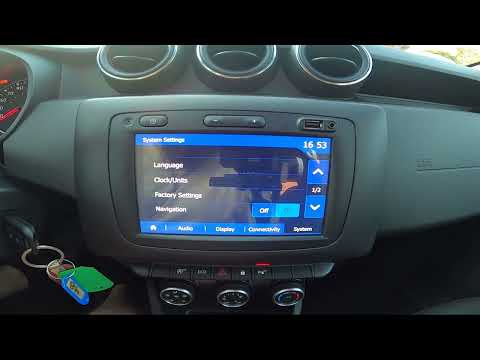
Dacia Duster
(2017-2024 /
HM, MK 2)
.. To set the clock on a Dacia Duster, turn on the instrument cluster by inserting the ignition key into the ignition switch:.. .. central display and then "Clock/Units". On the screen displayed, select the "Time settings" option: this will allow you to modify both the hours and.. …
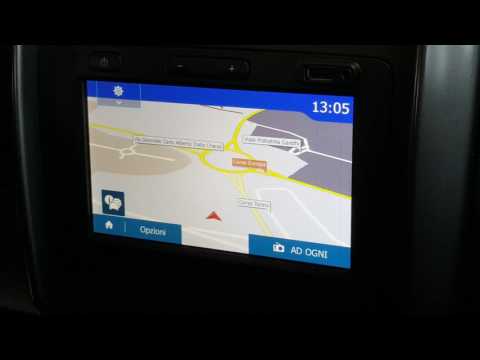
Dacia Dacia Various
.. the clock using the MediaNav system installed in Dacia vehicles. Use the touchscreen display and access the home screen by pressing the house-shaped icon.. …

Dacia Spring
(2021-2026 /
MK 1)
.. see how to restore the default settings on the Dacia Spring: this is the fully electric version of the Romanian brand, and it is certainly the most.. .. on the market. Let's go to the multimedia screen and look for the "settings" button. From here, we go to "system" and select "factory settings"... .. in this sense has been provided. After choosing, touch Ok and confirm... …

Dacia Dacia Various
.. reset procedure that works the same way on all Dacias; turn on the ignition, press the "menu" button, navigate to the pressure control screen, and press.. …
|
|
|
For advertising on this site Write to info@scegliauto.com
ScegliAuto is not responsible for any inaccuracy of the data in the lists. To report any inaccuracy or your business (if you own the business in question), please write to info@scegliauto.com
Number of seconds to generate the page: 0.014
(c) ScegliAuto 2026 - info@scegliauto.com - Privacy policy VAT number: IT01247470535 |
