
|
Do it yourself
| |||
| ||||



Search performed for Ioniq 5 Tpms Reset Button
Ioniq 5 Tpms Reset Button
Video

How to reset the TPMS light on Hyundai Ioniq 5 vehicles
Hyundai Ioniq 5
(2022-2026 /
MK 1)
.. Today we will explain how to reset the TPMS light, related to tire pressure, on Hyundai Ioniq 5 vehicles. The reset can be done in two ways... .. Turn on the instrument panel and press the TPMS button, hold it down until the light flashes three times. Then release the button and drive on a flat.. …

Hyundai Ioniq 5
(2022-2026 /
MK 1)
.. If you own a Hyundai Ioniq 5 and don't know how to manually reset the service light, don't worry because in this new guide.. …
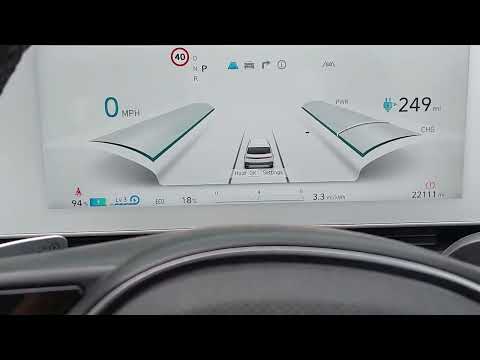
Hyundai Ioniq 5
(2022-2026 /
MK 1)
.. this mini guide, you will learn how to correctly reset the service light on your Hyundai Ioniq 5. No professional tools are required, making this operation.. .. First, turn on the ignition and press the menu button multiple times until you see the "drive to display" option on the dashboard. At this point, press.. …
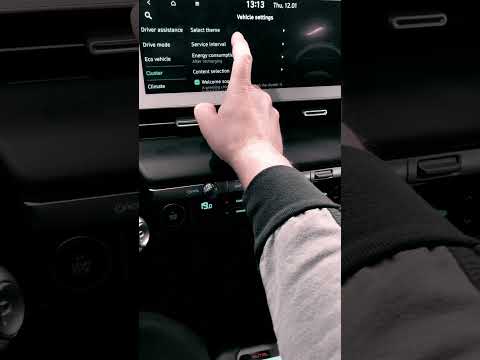
Hyundai Ioniq 5
(2022-2026 /
MK 1)
.. Once the oil change of the Hyundai Ioniq 5 has been carried out, we need to reset the system that alerts us when to perform this maintenance.. .. the right side of the steering wheel, the left button until the service menu appears on the display in the center of the dashboard. On it, we select.. …

Hyundai Ioniq 5
(2022-2026 /
MK 1)
.. In this tutorial, we can see how to reset the service in the Hyundai Ioniq 5, an extremely simple and quick operation, to be done only once.. …
How to reset the oil level warning light on Hyundai ix35?
Answer: To reset the warning on the Hyundai ix35 it will be necessary to turn on only the ignition and press the MODE button (stylized with a square and place...
Read all
Posted on 6-12-2021
How does the sos light work on the Hyundai I20?
Answer: The new roadside assistance service linked to the manufacturer's official app is foreseen in the cars produced in recent years. In case of need, you c...
Read all
Posted on 28-10-2022
|
|
|
For advertising on this site Write to info@scegliauto.com
ScegliAuto is not responsible for any inaccuracy of the data in the lists. To report any inaccuracy or your business (if you own the business in question), please write to info@scegliauto.com
Number of seconds to generate the page: 0.117
(c) ScegliAuto 2026 - info@scegliauto.com - Privacy policy VAT number: IT01247470535 |
