
|
Do it yourself
| |||
| ||||


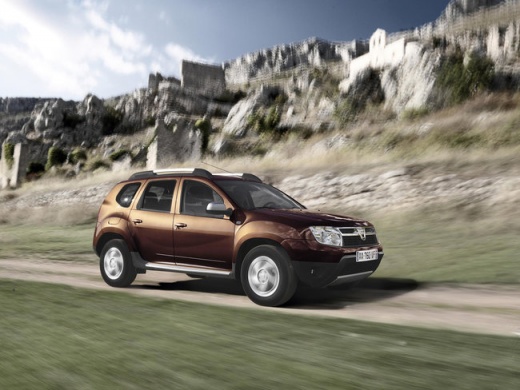
How to reset the "Service" warning light on a Dacia Duster?
Years:
2010-2017
Let's start by activating the instrument panel, simply by turning the key inside the ignition switch. After that, we will have to go to select the service page in the settings menu. At this point, we will have to press and hold the selection button, until the service light goes off automatically. When we have completed this last step, we will have successfully completed the reset of the "Service" warning light on our Dacia Duster.
Video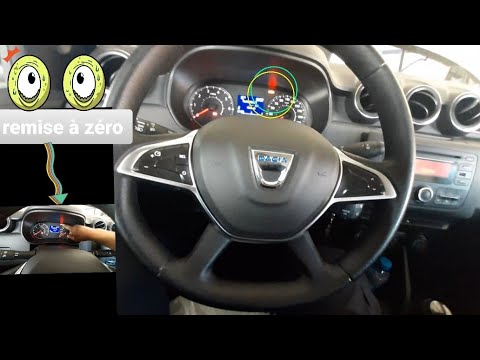
How to Reset the Maintenance Warning Light on a Dacia Duster
Dacia Duster
(2017-2024 /
HM, MK 2)
Today, you will learn the steps to reset the maintenance service warning light for the oil change on a Dacia Duster. First, get inside the vehicle an…
Dacia Duster
(2010-2017 /
MK 1, HS)
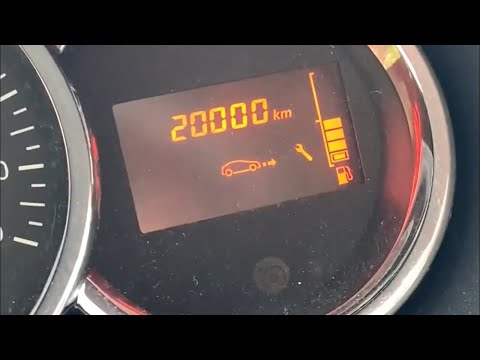
Before you can start, sit in the driver's seat of your Dacia Duster. Begin by activating the instrument cluster by simply turning the key in the igni…

Dacia Duster
(2010-2017 /
MK 1, HS)
In this guide, we will discover the instructions that will allow us to reset the service maintenance light of the Dacia Duster. First, we get into th…
|
What does the STOP warning light indicate in the Dacia Duster?
Answer: 25-06-2023
Why is the DAB radio in the Dacia Duster not working?
Answer: 13-04-2023
What to do if the fuel flap on your Dacia Duster doesn't open?
Answer: 5-02-2023
Where is the washer fluid reservoir located in Dacia Duster?
Answer: 16-01-2023
What's the problem with the Dacia Duster's LPG?
Answer: 3-10-2022
Where is the lpg filter located in the Daciaa Duster?
Answer: 9-08-2022
What does the Dacia Duster zigzag line warning light mean?
Answer: 4-06-2022
What to do if the anti-pollution warning light comes on on the Dacia Duster?
Answer: 18-05-2022
Where is the inertia switch of the Dacia Duster located?
Answer: 18-03-2022
What are the spies of the Dacia Duster?
Answer: 25-02-2022
What does the Dacia Duster "Anti-Pollution Control" label mean?
Answer: 13-01-2022
Where is the spare wheel located in the Dacia Duster?
Answer: 13-10-2021
How can I retrieve the car radio unlock code of my Dacia Duster?
Answer: 10-10-2021
How to reset Dacia Duster tire pressure warning light?
Answer: 27-09-2021
How do you reset the electronic fault warning light on the Dacia Duster?
Answer: 8-09-2021
Where is the horn of the Dacia Duster located?
Answer: 5-08-2021
What does the Dacia Duster wrench warning light indicate?
Answer: 25-07-2021
Why does the Dacia Duster horn not work?
Answer: 15-03-2021
Where do i find the jack on a Dacia Duster?
Answer: 14-12-2020 
|
For advertising on this site Write to info@scegliauto.com
ScegliAuto is not responsible for any inaccuracy of the data in the lists. To report any inaccuracy or your business (if you own the business in question), please write to info@scegliauto.com
Number of seconds to generate the page: 0.065
(c) ScegliAuto 2026 - info@scegliauto.com - Privacy policy VAT number: IT01247470535 |
