
|
Do it yourself
| |||
| ||||


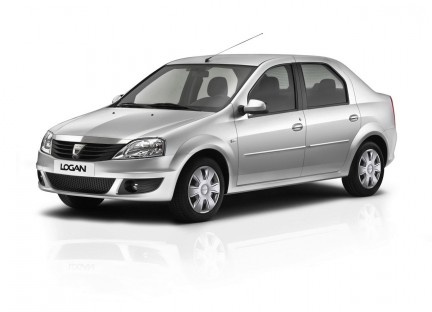
How to Reset the Service Light on a Dacia Logan
Model: Dacia Logan
MK 1
- Years:
2004, 2005, 2006, 2007, 2008, 2009, 2010, 2011, 2012
Video tutorial
If you own a first-generation Dacia Logan (2004-2012) and want to manually reset the service light that stays on the instrument panel, follow these simple steps. First, insert the key and turn on the ignition. Next, use the button located at the end of the right steering column to navigate through the onboard menu. Once you find the maintenance option, hold the same button until the reset is complete, and you are done.
Updated on 2 July 2026 by ScegliAuto
Related tutorials
Dacia Logan
(2012-2022 /
MK 2)
If you own a second-generation Dacia Logan and want to learn how to manually reset the service light, all you need to do is follow the procedure belo…

Dacia Logan
(2012-2022 /
MK 2)
To reset the service on a Dacia Logan, turn on the ignition, press and hold the reset button, which is the "!trop" or "000" button located on the das…

Dacia Logan
(2012-2022 /
MK 2)
In this mini guide dedicated to your Dacia Logan Mk2, follow the necessary steps to manually reset the service light. First, sit inside your car, ins…
Other guides you may be interested in |
How to Activate Cruise Control on the Peugeot 3008
Today's steps will show you how to activate cruise control on the Peugeot 3008, following the instructions below. First, get into the vehicle and start the engine. To activate cruise control, you must reach a minimum speed. Then, activate cruise control using the central button on the left stalk, adjusting the speed with the buttons; use the dial to set the speed limit. Pressing the brake pedal will automatically disable the cruise control system. by ScegliAuto More videos
|
|
For advertising on this site Write to info@scegliauto.com
ScegliAuto is not responsible for any inaccuracy of the data in the lists. To report any inaccuracy or your business (if you own the business in question), please write to info@scegliauto.com
Number of seconds to generate the page: 0.074
(c) ScegliAuto 2026 - info@scegliauto.com - Privacy policy VAT number: IT01247470535 |
