
|
Do it yourself
| |||
| ||||


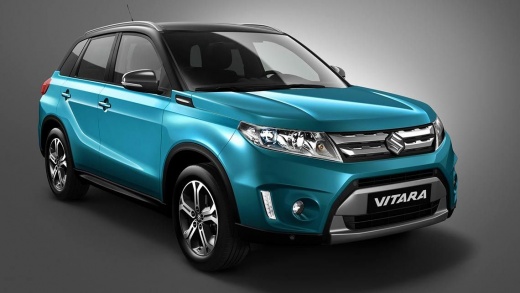
How to replace the turn signal bulb on a Suzuki Vitara.
Model: Suzuki Vitara
LY
- Years:
2015, 2016, 2017, 2018, 2019, 2020, 2021, 2022, 2023, 2024
Video tutorial
Replacing the turn signal indicators on the Suzuki Vitara is a simple and quick task that you can do on your own. The steps to follow are: insert a flathead screwdriver, covered with a microfiber cloth, into the inside or bottom of the light to remove it from its housing, disconnect the connector from the headlight, and replace it by installing a new one. Place the headlight back into its housing by pushing it towards the body of the vehicle. Test the functionality of the bulb by turning on the vehicle's lights; if it doesn't work and the connector shows no defects, it is necessary to replace the corresponding fuse.
Posted on 1 December 2025 by ScegliAuto
Related tutorials
Suzuki Vitara
(2015-2024 /
LY)
To replace the front indicator bulb on the Suzuki Vitara, you need to pry with an object to extract the corresponding side light from its housing. On…

Suzuki Vitara
(2025-2026 /
Sz181c)
The following steps will allow you to activate or deactivate the tyre pressure sensors on a Suzuki Vitara, which are linked to the TPMS warning light…

Suzuki Vitara
(2005-2015 /
JT)
Do you want to replace the front headlamp bulbs on a Suzuki Vitara? Let’s see how to proceed: open the front bonnet by pulling the lever located at t…
Other guides you may be interested in
|
How to Set the Clock on a Fiat Scudo
Setting the time on a Fiat Scudo is a simple and quick operation. First, turn on the vehicle's onboard computer and then press the SET button located on the dashboard. The settings menu will appear on the display; press the "+" button to select the "TIME" option using the "SET" button. Once in the clock menu, you can choose the format and adjust the hours and minutes by pressing the "+", "-" and "SET" buttons. When finished, return to the main menu and then turn off the ignition to complete the reset. by ScegliAuto More videos
|
|
For advertising on this site Write to info@scegliauto.com
ScegliAuto is not responsible for any inaccuracy of the data in the lists. To report any inaccuracy or your business (if you own the business in question), please write to info@scegliauto.com
Number of seconds to generate the page: 0.035
(c) ScegliAuto 2026 - info@scegliauto.com - Privacy policy VAT number: IT01247470535 |
