
|
Do it yourself
| |||
| ||||


How to reset the tire pressure light in the Audi A3?
Model: Audi A3
MK 3, 8V
- Years 2012-2019
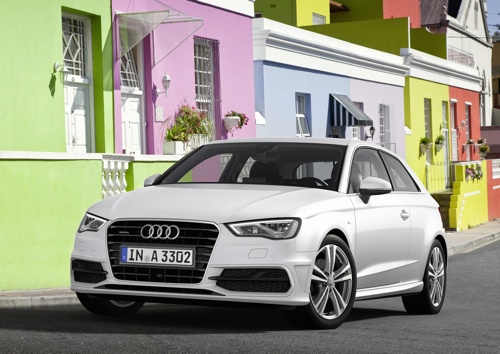
In this tutorial we can see how to reset the tire pressure warning light in the Audi A3, an extremely simple and quick operation, to be carried out only once the correct pressure of each tire has been restored following the instructions in the manual. First of all, let's go inside the cabin, then turn on the instrument panel and press the "MENU" button on the central console. Then go to "CAR", scroll the screen to the left, enter "Servicing & checks", "Tyre pressure loss ind.", and finally reset by selecting "Store tyre pressures".
Posted on 8 October 2024 by ScegliAuto
Video tutorial
Related tutorials
Audi A3
(2020-2026 /
8Y, MK 4)
If you own a 2020 Audi A3 and want to learn how to manually reset the tire pressure indicator, simply follow the instructions below carefully and ste…

Audi A3
(2012-2019 /
MK 3, 8V)
In this tutorial we can see how to reset the tire pressure warning light in the Audi A3, an extremely simple and quick operation, to be carried out o…

Audi A3
(2003-2013 /
MK 2, 8P)
The following steps will explain the process of resetting the tire pressure monitoring system (TPMS) light on the Audi A3; before performing the rese…
Other guides you may be interested in |
How to Replace the Headlight Bulbs on a Mercedes C-Class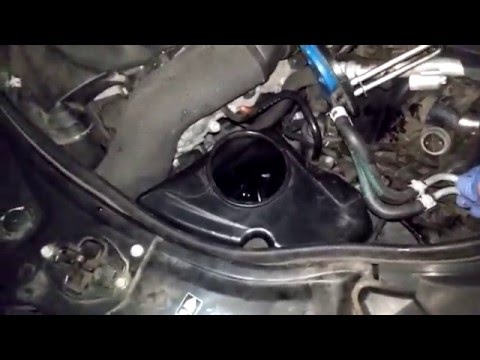
Let's see how to replace the headlight bulbs on a Mercedes C-Class. Open the hood by pulling the lever located at the bottom right of the dashboard and secure it with the prop rod. Locate the inspection cap of the headlight (located at the back of the headlight) and remove it. At this point, you will find the bulbs with metal clips; pull the bulb holder out of the headlight and extract the damaged bulbs using a screwdriver or needle-nose pliers. Install the new bulbs (always the correct type and size) and insert the bulb holder back into the headlight. Reassemble all the parts removed earlier. by ScegliAuto More videos
|
|
For advertising on this site Write to info@scegliauto.com
ScegliAuto is not responsible for any inaccuracy of the data in the lists. To report any inaccuracy or your business (if you own the business in question), please write to info@scegliauto.com
Number of seconds to generate the page: 0.042
(c) ScegliAuto 2026 - info@scegliauto.com - Privacy policy VAT number: IT01247470535 |
