
|
Do it yourself
| |||
| ||||


Model: Bmw F650 Gs
In today's video tutorial, you will find instructions to remove and replace the clutch discs of the BMW F650 GS in simple steps. First, place the motorcycle on its centre stand and start by unscrewing all the screws of the clutch cover located on the left side of the engine; then remove the gear lever, as shown in the video. Next, unscrew the screws of the clutch basket and subsequently remove the discs; replace them with the new ones, alternating the cork disc with the metal one, following the video tutorial to the end!
Updated on 11 May 2026 by ScegliAuto
Video tutorial
Related tutorials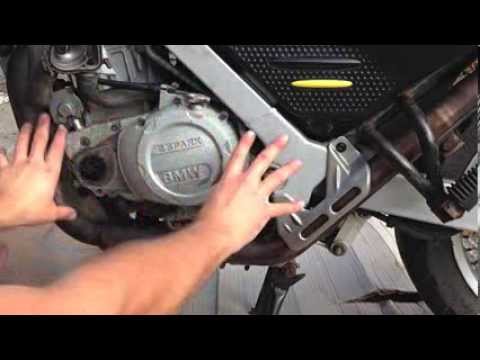
F650 Gs
In today's video, follow the step-by-step instructions to dismantle and replace the clutch discs on a BMW F650 GS motorcycle in simple steps. First, …

F650 Gs
The air filter of the BMW F650 GS can be replaced by loosening the screws that secure the panel located in the center of the fuel tank: once the scre…

F650 Gs
The oil replacement of the BMW F650 GS can be carried out by loosening the drain plug of the oil pan, located in the central lower part of the vehicl…
|
How to Reset the Service on the Husqvarna FE 350?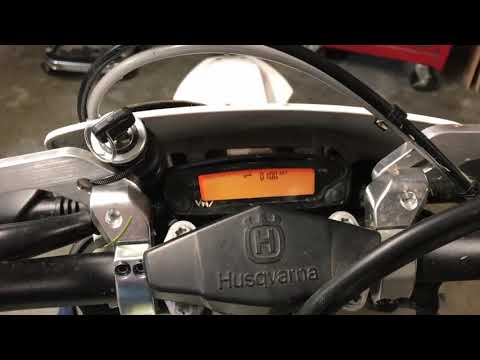
In this tutorial, you will see how to reset the service on the Husqvarna FE 350, a very simple and quick operation. Before proceeding, ensure you have completed all required scheduled maintenance tasks. Start by inserting the key and turning on the instrument panel; it is not necessary to start the engine. Then, repeatedly press the button located to the right of the display until you reach the odometer reading "ODO". Once done, press and hold the opposite button for about 5 seconds, and when the screen changes, press the right button again. by ScegliAuto More videos
|
|
For advertising on this site Write to info@scegliauto.com
ScegliAuto is not responsible for any inaccuracy of the data in the lists. To report any inaccuracy or your business (if you own the business in question), please write to info@scegliauto.com
Number of seconds to generate the page: 0.142
(c) ScegliAuto 2026 - info@scegliauto.com - Privacy policy VAT number: IT01247470535 |
