
|
Do it yourself
| |||
| ||||


Honda Brio Years 2011-2020 (MK 1) Honda Brio (2011-2020 / MK 1)
How to Replace the Remote Battery in the Honda Brio? In this tutorial, we will see how to replace the battery in the remote for the Honda Brio, a very simple and quick operation. For this, you will need a small …Read all… Posted on 5 September 2026 by ScegliAuto 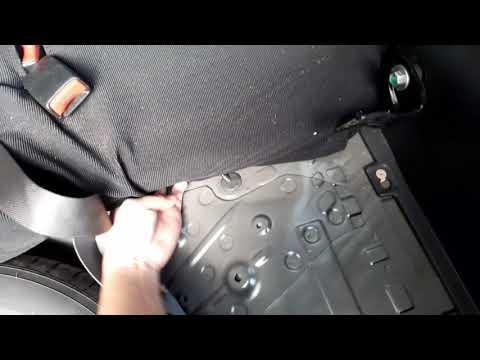 Honda Brio (2011-2020 / MK 1)
How to Remove the Rear Seats of the Honda Brio Today, let's go through the steps to remove the rear seats of the Honda Brio. First, open the rear doors and the trunk; then, unscrew the mounting bolts …Read all… Posted on 3 August 2026 by ScegliAuto
Honda Brio (2011-2020 / MK 1)How to Replace the Driver's Side Power Window Switch on a Honda Brio Replace the damaged or outdated power window switch on your Honda Brio. This is the switch for the driver, which controls all four windows. You can find this …Read all… Posted on 29 July 2026 by ScegliAuto  Honda Brio (2011-2020 / MK 1)
How to Change the Cabin Air Filter on a Honda Brio To replace the cabin air filter on this small car, follow the instructions provided below and in the tutorial video. Once seated in the passenger seat, open …Read all… Posted on 27 July 2026 by ScegliAuto |
See also:
How to Set the Clock on the Opel Zafira
Setting the clock to the current Italian time on an Opel Zafira model B is a very simple operation, also made easier by our short instructional video. The first step is to turn on the instrument panel and then press the SETTING button located on the central dashboard. Once inside the menu, use the buttons to navigate to the clock setting. Adjust the hours and minutes and restart the instrument panel. If the clock does not update, it may be necessary to diagnose the radio or the vehicle's control unit. by ScegliAuto More videos
|
|
For advertising on this site Write to info@scegliauto.com
ScegliAuto is not responsible for any inaccuracy of the data in the lists. To report any inaccuracy or your business (if you own the business in question), please write to info@scegliauto.com
Number of seconds to generate the page: 0.009
(c) ScegliAuto 2026 - info@scegliauto.com - Privacy policy VAT number: IT01247470535 |
