
|
Do it yourself
| |||
| ||||


How to Reset the Maintenance Light on the Honda N-WGN Mk1
Model: Honda N Wgn
MK 1
- Years:
2013, 2014, 2015, 2016, 2017, 2018, 2019
This video is currently unavailable
This guide shows how to reset the scheduled maintenance light on the Honda N-WGN Mk1. No diagnostic tool is needed to complete this operation. After turning on the ignition, select the trip mileage display using the button on the right side of the instrument cluster. Press and hold the button and turn off the ignition. Release the button and press it again; simultaneously turn on the ignition without pressing the brake pedal. After about fifteen seconds, the wrench light will start flashing and the indicator for the miles until the next service will reset. Press the button on the instrument cluster again to complete the operation.
Updated on 15 July 2026 by ScegliAuto
Related tutorials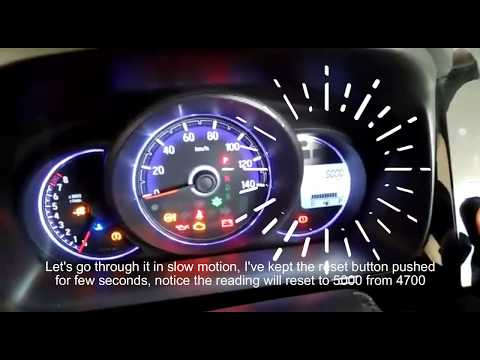
Honda N Wgn
(2019-2026 /
MK 2)
In this tutorial, you will see how to reset the service light on a Honda N-WGN, a very simple operation that should only be done after completing all…
Honda N Wgn
(2013-2019 /
MK 1)
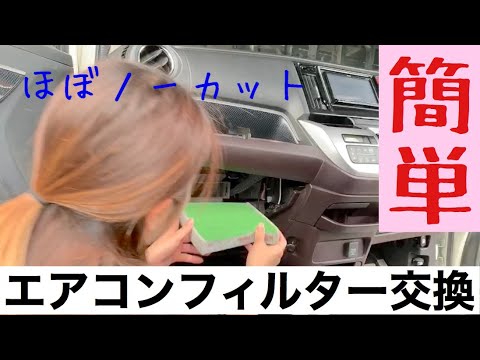
Replacing the cabin filter in a Honda N-WGN is a very simple and quick task. Let's see how to proceed in this tutorial. First, sit in the passenger s…

Honda N Wgn
(2013-2019 /
MK 1)
The cabin air filter on the Honda N Wgn, like in most vehicles, is located inside the cabin and is also known as the cabin air filter. Its replacemen…
Other guides you may be interested in
|
How to Reset the Air Conditioning on the Citroen C4 Picasso
Resetting the air conditioning on the Citroen C4 Picasso is a straightforward task that you can do independently, aided by our mini video tutorial. To perform this operation, switch on the ignition and turn on the air conditioning. Then, press the E button and the one with the spanner simultaneously for a few seconds while starting the engine. After that, release the buttons and the system reset will be complete. If the air conditioning still has issues, check the state of the fuses and replace them if necessary. by ScegliAuto More videos
|
|
For advertising on this site Write to info@scegliauto.com
ScegliAuto is not responsible for any inaccuracy of the data in the lists. To report any inaccuracy or your business (if you own the business in question), please write to info@scegliauto.com
Number of seconds to generate the page: 0.020
(c) ScegliAuto 2026 - info@scegliauto.com - Privacy policy VAT number: IT01247470535 |
