
|
Do it yourself
| |||
| ||||


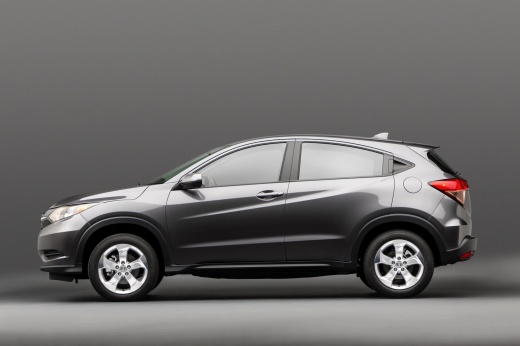
How to Reset the Service Light on the 2016 Honda HR-V
Model: Honda Hr V
RU, MK 2
- Years:
2016, 2017, 2018, 2019, 2020, 2021, 2022
Video tutorial
In this video tutorial, you will see how to reset the maintenance light on your Honda HR-V 2nd generation. The procedure takes less than 1 minute and requires no tools or software. To reset the light, first start the instrument panel by pressing the start button twice. Once the panel is fully powered, press the button on the panel until you reach the oil life indicator. Once located, press and hold the button for about 10 seconds until the light starts to flash. At this point, release the button and press it again to complete the reset, holding it until the reset is finished, indicated by the light stopping its flashing.
Updated on 20 August 2026 by ScegliAuto
Related tutorials
Honda Hr V
(2016-2022 /
RU, MK 2)
Today we will see how to reset the service light related to the car maintenance of a Honda HR V vehicle model from 2015. To perform the reset procedu…

Honda Hr V
(2016-2022 /
RU, MK 2)
Today's instructions will allow us to reset the maintenance reminder (service) on the Honda HR-V. First, get inside the vehicle and turn on the ignit…

Honda Hr V
(2021-2026 /
RV5, RV3, RV4, RV6)
The reset of the service light, related to the car service, on a Honda HR V vehicle is a very simple operation to perform independently. To reset it,…
Other guides you may be interested in |
How to unlock the radio of the Iveco Daily
When an Iveco Daily displays the radio error message or prompts to enter the radio code, it means you need to enter the unlock code to resume using the radio. This situation occurs after replacing or disconnecting the vehicle's battery. Enter the unlock code, which can be found in the vehicle's user manual or calculated through the "radio code" website. Input the code using the numeric buttons and then confirm by pressing the OK button. Once this is done, turn off and then turn on the ignition. by ScegliAuto More videos
|
|
For advertising on this site Write to info@scegliauto.com
ScegliAuto is not responsible for any inaccuracy of the data in the lists. To report any inaccuracy or your business (if you own the business in question), please write to info@scegliauto.com
Number of seconds to generate the page: 0.008
(c) ScegliAuto 2026 - info@scegliauto.com - Privacy policy VAT number: IT01247470535 |
