
|
Do it yourself
| |||
| ||||


How to Reset the Tyre Pressure Warning Light on the Kia Carens
Model: Kia Carens
MK 3
- Years 2013-2019
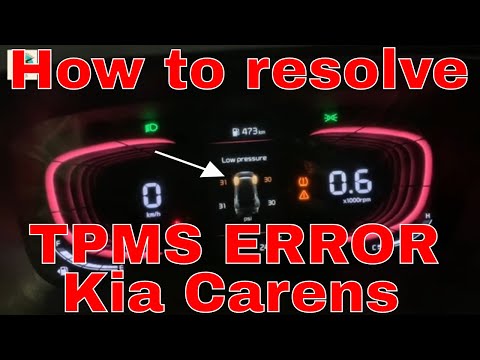
If the tyre pressure warning light illuminates on the dashboard, the first thing to check is that the actual tyre pressures are within the manufacturer's specified values. After verifying this and restoring the pressure if necessary, proceed to reset the warning light on the dashboard. To do this, follow the instructions below, and you can also refer to the video. In fact, there is no button or procedure to follow for the reset on this vehicle, as the onboard computer updates automatically once the tyre pressures are aligned, and the warning light will turn off by itself.
Updated on 23 May 2026 by ScegliAuto
Video tutorial
Related tutorials
Kia Carens
(2022-2026 /
MK 4)
Today, we will show you how the tyre pressure monitoring system works on a Kia Carens vehicle. The system is responsible for detecting the tyre press…
Kia Carens
(2013-2019 /
MK 3)
To reset the tyre pressure light on the Kia Carens, first inflate all tyres to the pressure indicated on the sticker on the driver’s door pillar. Onc…

Kia Carens
(2022-2026 /
MK 4)
In order to reset the tire pressure warning light of the Kia Carens, you must first inflate the tires until they have reached their optimal pressure …
Other guides you may be interested in
|
Where is the Spare Wheel in the Peugeot 5008?
This video shows where the spare wheel is located in the Peugeot 5008 and how to access it, useful in case of a puncture. As shown, the wheel is not in the usual boot compartment but underneath it, outside the vehicle. To free the wheel, first gather the tools provided, then open the boot, locate the small indicated hatch, and open it. Next, loosen the bolt just released using the large socket wrench enough to lower the wheel to the ground. by ScegliAuto More videos
|
|
For advertising on this site Write to info@scegliauto.com
ScegliAuto is not responsible for any inaccuracy of the data in the lists. To report any inaccuracy or your business (if you own the business in question), please write to info@scegliauto.com
Number of seconds to generate the page: 0.220
(c) ScegliAuto 2026 - info@scegliauto.com - Privacy policy VAT number: IT01247470535 |
