
|
Do it yourself
| |||
| ||||


Reset the Service Warning Light on the Mercedes-Benz C-Class
Model: Mercedes Classe C
W204
- Years 2007-2013
Let's briefly go over the information and procedure to reset the service maintenance light on the Mercedes-Benz C-Class. First, get inside the vehicle and turn on the ignition; then press and hold the call buttons and the "ok" button to enter the service menu, as shown in the video. At this point, scroll down the options until you reach "assyst plus" and then "full service"; then register the new maintenance sticker, which will reset the service warning light on the instrument cluster!
Posted on 17 May 2026 by ScegliAuto
Video tutorial
Related tutorials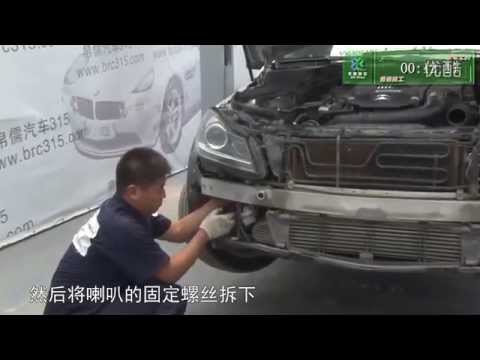
Mercedes Classe C
(2007-2013 /
W204)
.. to remove and replace the horn on the Mercedes Benz C-Class W204. First, open the hood of your car and start by removing the upper plastic cover, disconnecting.. …

Mercedes Classe C
(2000-2007 /
W203)
.. to reset the service indicator of the Mercedes Classe C. First, let's get inside the car and turn on the instrument panel; then we go to the maintenance.. …

Mercedes Classe C
(2014-2021 /
W205)
.. the tire pressure warning on the Mercedes C-Class. Before resetting the TPMS sensors, ensure that all four tires are at the proper operating pressure... …
Other guides you may be interested in
|
Where is the Spare Wheel in the Peugeot 5008?
This video shows where the spare wheel is located in the Peugeot 5008 and how to access it, useful in case of a puncture. As shown, the wheel is not in the usual boot compartment but underneath it, outside the vehicle. To free the wheel, first gather the tools provided, then open the boot, locate the small indicated hatch, and open it. Next, loosen the bolt just released using the large socket wrench enough to lower the wheel to the ground. by ScegliAuto More videos
|
|
For advertising on this site Write to info@scegliauto.com
ScegliAuto is not responsible for any inaccuracy of the data in the lists. To report any inaccuracy or your business (if you own the business in question), please write to info@scegliauto.com
Number of seconds to generate the page: 0.213
(c) ScegliAuto 2026 - info@scegliauto.com - Privacy policy VAT number: IT01247470535 |
