
|
Do it yourself
| |||
| ||||


How to Set the Clock on the Peugeot 307 Instrument Cluster
Model: Peugeot 307
MK 1
- Years:
2001, 2002, 2003, 2004, 2005, 2006, 2007, 2008, 2009
Video tutorial
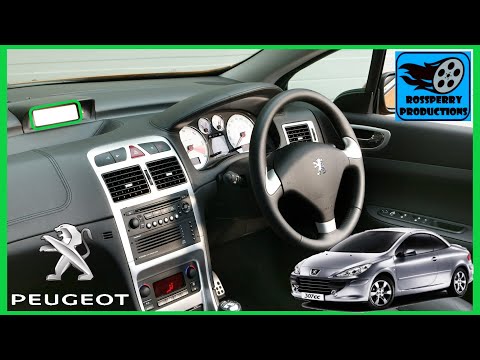
Today, we will explain how to set the time and date on the Peugeot 307 instrument cluster. To perform this simple operation, turn on the instrument cluster and press the menu button located on the central dashboard near the radio. Select the time and date option and press the numeric buttons to set the hour and then the minutes. After adjusting the clock, set the date by pressing the numeric buttons to set the day, month, and year. Once you have made the necessary changes, return to the main menu and restart the instrument cluster to save the changes.
Posted on 5 March 2026 by ScegliAuto
Related tutorials
Peugeot 307
(2001-2009 /
MK 1)
Today we will explain how to adjust the clock on the instrument panel of the Peugeot 307 independently. To perform this operation, it is necessary to…

Peugeot 307
(2001-2009 /
MK 1)
Today, learn how to set the date and time on the instrument panel of a Peugeot 307. To set the time and date, turn on the instrument panel and press …
Peugeot 307
(2001-2009 /
MK 1)
To set the clock of the Peugeot 307, turn on the instrument panel and then press the MENU button located on the central control panel. Once this butt…
ScegliAuto offers an extensive international collection of automotive tutorials available in 12 languages. Each guide combines instructional videos with original explanations written by experienced human editors, along with information about the car models covered.
Other guides you may be interested in
|
How to open the bonnet on a Jeep Renegade
Opening the bonnet on a Jeep Renegade is a simple, quick job that you can do yourself when you need to check the engine bay. Follow these steps: by ScegliAuto More videos
|
|
For advertising on this site Write to info@scegliauto.com
ScegliAuto is not responsible for any inaccuracy of the data in the lists. To report any inaccuracy or your business (if you own the business in question), please write to info@scegliauto.com
Number of seconds to generate the page: 0.077
(c) ScegliAuto 2026 - info@scegliauto.com - Privacy policy - About us VAT number: IT01247470535 |
