
|
Do it yourself
| |||
| ||||


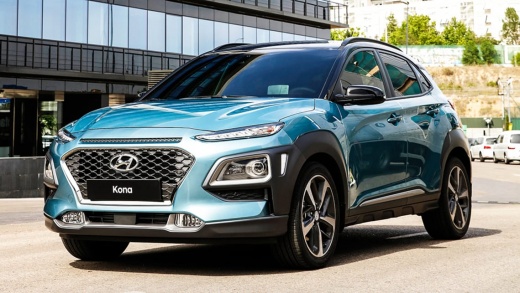
How do you reset the tyre pressure warning light on a Hyundai Kona?
Model: Hyundai Kona
MK 1
- Years:
2017, 2018, 2019, 2020, 2021, 2022, 2023
Video tutorial
Inflate the tyres to the correct pressure to reset the tyre pressure warning light on your Hyundai Kona. Find the recommended pressures on the sticker on the driver's door pillar. Once the tyres are correctly inflated, get into the car and switch on the ignition. Wait a few seconds for the warning light to go out. If it stays on, drive for a few miles until it goes out completely.
Updated on 27 November 2026 by ScegliAuto
Related tutorials
Hyundai Kona
(2017-2023 /
MK 1)
In order to reset the tire pressure light of the Hyundai Kona, you need to inflate the tires until they reach the recommended pressure value: this va…

Hyundai Kona
(2023-2026 /
MK 2)
The following steps will show us how to reset the tire pressure warning light on the Hyundai Kona; before resetting the TPMS sensors, it is necessary…

Hyundai Kona
(2017-2023 /
MK 1)
The Hyundai Kona Electric, like many other cars, is equipped with a tire pressure warning light, which activates when the inflation pressure drops be…
ScegliAuto offers an extensive international collection of automotive tutorials available in 12 languages. Each guide combines instructional videos with original explanations written by experienced human editors, along with information about the car models covered.
Other guides you may be interested in |
How to open the bonnet on a Toyota Yaris Cross
Open the front left-hand door and pull the bonnet release lever located low down. Move to the front of the vehicle and release the safety catch in the centre, between the bonnet and the front bumper, as shown in the video. Raise the bonnet. The hydraulic struts will hold it open; if your vehicle has a support stay, secure the bonnet with it. Lower the bonnet carefully to close it. by ScegliAuto More videos
|
|
For advertising on this site Write to info@scegliauto.com
ScegliAuto is not responsible for any inaccuracy of the data in the lists. To report any inaccuracy or your business (if you own the business in question), please write to info@scegliauto.com
Number of seconds to generate the page: 0.010
(c) ScegliAuto 2026 - info@scegliauto.com - Privacy policy - About us VAT number: IT01247470535 |
