
|
Do it yourself
| |||
| ||||


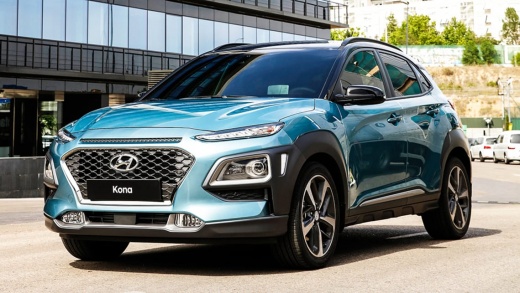
How do you reset the tire pressure light of the Hyundai Kona?
Model: Hyundai Kona
MK 1
- Years:
2017, 2018, 2019, 2020, 2021, 2022, 2023
Video tutorial
In order to reset the tire pressure light of the Hyundai Kona, you need to inflate the tires until they reach the recommended pressure value: this value will be indicated on the sticker attached to the driver's side door pillar. Once the inflation is done, you can turn on the instrument panel to check if the light has disappeared; if it is still present, it may be necessary to drive for a few kilometers. This will help the sensors work properly and make the light disappear from the screen.
Posted on 22 October 2025 by ScegliAuto
Related tutorials
Hyundai Kona
(2023-2026 /
MK 2)
To reset the tyre pressure warning light on a Hyundai Kona, inflate the tyres until they reach the recommended pressure value: this value will be ind…

Hyundai Kona
(2023-2026 /
MK 2)
It will be possible to completely reset the tire pressure warning light on the Hyundai Kona by first inflating the tires until they reach the correct…
Hyundai Kona
(2017-2023 /
MK 1)
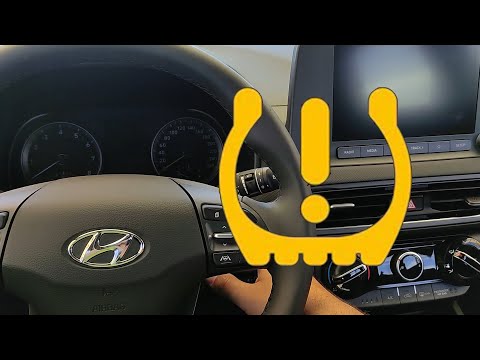
To reset the tyre pressure warning light on the Hyundai Kona, do not press any buttons, and there is no procedure to reset the light from the onboard…
Other guides you may be interested in
|
How to replace the handbrake button on the Opel Mokka?
The handbrake button on the Opel Mokka can be replaced without going to a mechanic. The installation system is snap-fit with plastic clips and does not require special tools. First, remove the old button, possibly using a flat screwdriver to pry it off. Next, check for any fragments and remove them using tweezers if necessary. At this point, install the new button by placing it in its seat and applying light pressure to snap the clips into place. by ScegliAuto More videos
|
|
For advertising on this site Write to info@scegliauto.com
ScegliAuto is not responsible for any inaccuracy of the data in the lists. To report any inaccuracy or your business (if you own the business in question), please write to info@scegliauto.com
Number of seconds to generate the page: 0.014
(c) ScegliAuto 2026 - info@scegliauto.com - Privacy policy VAT number: IT01247470535 |
