
|
Do it yourself
| |||
| ||||


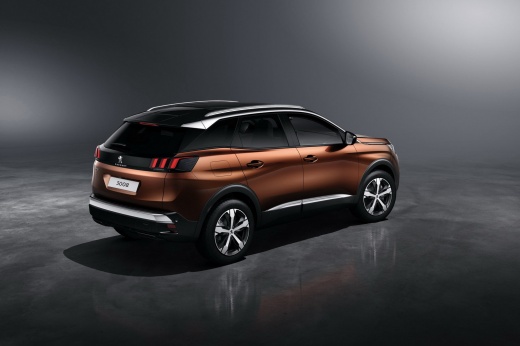
How to Reset the AdBlue Warning Light on the Peugeot 3008
Model: Peugeot 3008
MK 2, P84
- Years 2016-2023
Here are the instructions to reset the AdBlue warning light on the Peugeot 3008 in simple and quick steps. First, get into the vehicle and connect your computer to the diagnostic port, allowing the software to communicate with the ECU. Then select the brand, model, and manufacturer. Next, go to the service or maintenance section; follow the indicated procedures to reset the AdBlue warning light, ensuring it clears from the instrument panel, and follow the video tutorial to the end!
Updated on 19 July 2026 by ScegliAuto
Video tutorial
Related tutorials
Peugeot 3008
(2016-2023 /
MK 2, P84)
The AdBlue warning light comes on when it is necessary to top up the liquid inside the tank. Since this warning light only concerns diesel engines, t…

Peugeot 3008
(2016-2023 /
MK 2, P84)
Today, we will see in this brief guide the procedure necessary to reset the AdBlue warning light on the Peugeot 3008 1.5 BlueHDi. Before resetting th…

Peugeot 3008
(2009-2016 /
T84, MK 1)
To completely clear the AdBlue light that appears on the instrument cluster of the Peugeot 3008, you must top up with the necessary amount of additiv…
Other guides you may be interested in
|
Frequently Asked QuestionsHow to set the clock on the Opel Zafira
Setting the clock to the current Italian time on an Opel Zafira model B vehicle is a very simple operation, which can also be done independently thanks to our short instructional video. The first thing to do is to turn on the instrument panel and then press the SETTING button, located on the central dashboard. Once inside the menu, use the buttons to navigate to the clock setting. Change the hours and minutes and restart the instrument panel. If the clock is not updated, a diagnosis may be necessary at the radio or vehicle control unit. by ScegliAuto More videos
|
For advertising on this site Write to info@scegliauto.com
ScegliAuto is not responsible for any inaccuracy of the data in the lists. To report any inaccuracy or your business (if you own the business in question), please write to info@scegliauto.com
Number of seconds to generate the page: 0.059
(c) ScegliAuto 2026 - info@scegliauto.com - Privacy policy VAT number: IT01247470535 |
