
|
Do it yourself
| |||
| ||||


How do you reset the multimedia system of the Renault Clio?
Model: Renault Clio
Clio IV, MK 4, Clio 4
- Years 2012-2019
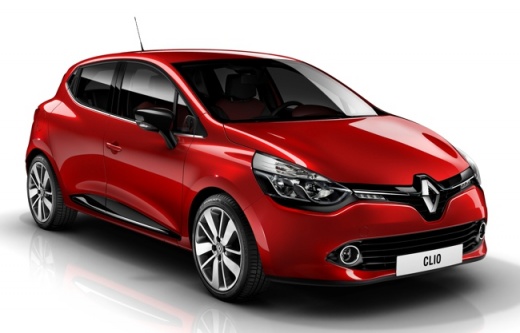
In this video tutorial, we will see how to reset the multimedia system of a Renault Clio, specifically the operation was performed on a Renault Clio 4, restoring the factory settings. With the system turned on, we press the icon at the bottom right on the touchscreen, access the Options list, select the option represented by the car symbol, then Factory, enter the code consisting of six zeros and when we reach the final list, we will choose the wording of our interest. This way we will reset all previously saved data.
Posted on 26 October 2025 by ScegliAuto
Video tutorial
Related tutorials
Renault Clio
(2019-2026 /
Clio V, Clio 5)
These short and simple steps will show us how to reset the multimedia system, performing a forced shutdown, on the Renault Clio, but also on the Capt…

Renault Clio
(2012-2019 /
Clio IV, MK 4, Clio 4)
Today we are following the instructions that will allow us to reset the multimedia system and radio of the Renault Clio, as well as on other vehicles…

Renault Clio
(2012-2019 /
Clio IV, MK 4, Clio 4)
Today's guide will show us how the Medianav multimedia system of the Renault Clio, as well as the Captur, works and how to use it. First, we get on b…
Other guides you may be interested in |
How to Open the Bonnet on the Lancia Y
To open the bonnet on this vehicle, follow these simple instructions: first, open the driver's door and locate the lever positioned just below the dashboard, marked with an image of the vehicle with the bonnet open. Pull this lever towards you until you hear a "click" indicating the bonnet is released. Next, exit the cabin and stand in front of the bonnet to disengage the safety catch and complete the opening. To do this, slightly lift the bonnet, locate the yellow lever underneath, and pull it to the left to fully release and open the bonnet. by ScegliAuto More videos
|
|
For advertising on this site Write to info@scegliauto.com
ScegliAuto is not responsible for any inaccuracy of the data in the lists. To report any inaccuracy or your business (if you own the business in question), please write to info@scegliauto.com
Number of seconds to generate the page: 0.273
(c) ScegliAuto 2026 - info@scegliauto.com - Privacy policy VAT number: IT01247470535 |
