
|
Do it yourself
| |||
| ||||


How do you reset the partial mileage of the Skoda Kamiq?
Model: Skoda Kamiq
MK 1
- Years 2018-2026
For specific needs, we want to keep track of the exact mileage we will cover on a certain stretch of road? No problem, we just need to reset the partial kilometers, a common operation among all cars, including the Skoda Kamiq. Thanks to the video tutorial available above, we can perform the operation: with the instrument panel on, we look at the kilometers traveled in the aforementioned panel and move to the central screen, where we will press the first button on the bottom right, then the two central buttons, also located at the bottom, then the right one again, and finally all we have to do is follow the voices proposed by the Menu, eventually reaching the Reset to select.
Posted on 1 September 2025 by ScegliAuto
Video tutorial
Related tutorials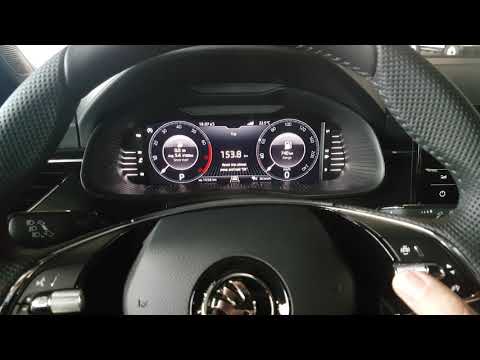
Skoda Kamiq
(2018-2026 /
MK 1)
In this tutorial, you will see how to reset the trip meter in the Skoda Kamiq, a very simple and quick operation. This mileage count, known as "Trip"…

Skoda Kamiq
(2018-2026 /
MK 1)
The instrument panel shown in the video is that of the Skoda Kamiq, and we will now learn how to reset the trip meter. Using the directional buttons …

Skoda Kamiq
(2018-2026 /
MK 1)
Has your Skoda Kamiq reached the mileage for which maintenance is due? This is normal; the engine oil degrades, needs replacing, and so does the filt…
Other guides you may be interested in
|
How to reset the tyre pressure warning light on a Hyundai Tucson
Below are the instructions to reset the tyre pressure warning light (TPMS) on a Hyundai Tucson. First, get into the vehicle and turn on the instrument cluster; then navigate to the vehicle settings until you reach the tyre pressure monitor, identifying the tyre with incorrect pressure. At this point, restore all tyre pressures according to the specifications indicated on the label; this will reset the TPMS and the warning light will be cleared from the instrument cluster! by ScegliAuto More videos
|

|
For advertising on this site Write to info@scegliauto.com
ScegliAuto is not responsible for any inaccuracy of the data in the lists. To report any inaccuracy or your business (if you own the business in question), please write to info@scegliauto.com
Number of seconds to generate the page: 0.139
(c) ScegliAuto 2026 - info@scegliauto.com - Privacy policy VAT number: IT01247470535 |
