
|
Do it yourself
| |||
| ||||


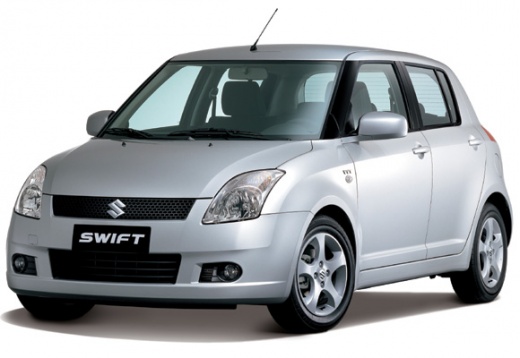
How do you set the clock on the Suzuki Swift?
Model: Suzuki Swift
MK 4, Rs41
- Years:
2004, 2005, 2006, 2007, 2008, 2009, 2010
Video tutorial
It will be possible to change the clock of the Suzuki Swift by turning on the instrument panel by inserting the key into the ignition and then pressing both buttons on the sides of the panel: this way you will be able to see that the number indicating the hours will start flashing. It will now be possible to change this value by turning the knob on the right side; releasing it and waiting a moment will also make the minutes flash, which can then be changed with the same procedure. After setting the correct time, you can return to the initial screen to finish.
Posted on 19 May 2025 by ScegliAuto
Related tutorials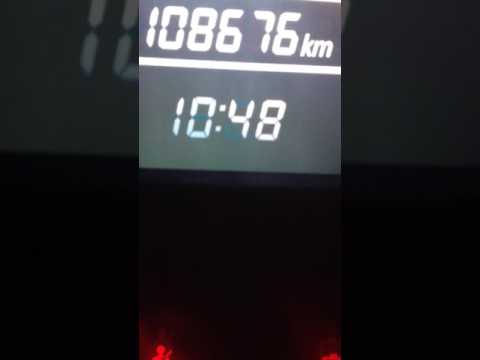
Suzuki Swift
(2010-2017 /
AZG, MK 5, Rs41)
To set the clock on the Suzuki Swift, first turn on the ignition. Once the ignition is on, press both buttons located on the dashboard of the Suzuki …
Suzuki Swift
(2004-2010 /
MK 4, Rs41)
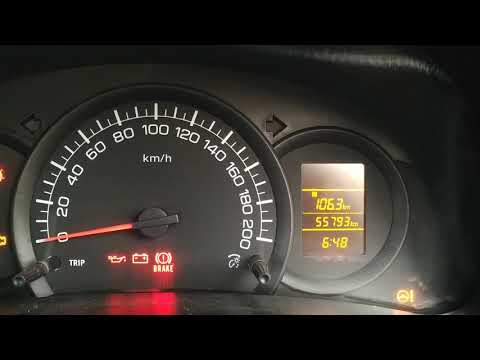
To set the clock on the Suzuki Swift, turn on the instrument panel by rotating the ignition key in the ignition switch. Once the panel is on, press t…

Suzuki Swift
(2010-2017 /
AZG, MK 5, Rs41)
Below we will see the steps that will allow us to adjust the clock of the Suzuki Swift. First of all, we get on board the car and start the instrumen…
Other guides you may be interested in
|
How to Replace the Glow Plugs in the Fiat Ducato 2.3 Multijet?
Glow plugs, as the name suggests, raise the temperature of the engine in diesel vehicles to allow for easier starting. The manufacturer, in this case, Fiat for the Ducato 2.3 Multijet, specifies how often they should be replaced, and a warning light will illuminate when it's time. This work is carried out under the bonnet. First, remove the upper engine cover, then lift the coil and, using a socket wrench of the appropriate size, unscrew the glow plug to remove it from the base, followed by installing the new one. by ScegliAuto More videos
|
|
For advertising on this site Write to info@scegliauto.com
ScegliAuto is not responsible for any inaccuracy of the data in the lists. To report any inaccuracy or your business (if you own the business in question), please write to info@scegliauto.com
Number of seconds to generate the page: 0.144
(c) ScegliAuto 2026 - info@scegliauto.com - Privacy policy VAT number: IT01247470535 |
