
|
Do it yourself
| |||
| ||||


|
Search performed for How To Set Time In Tvs Jupiter 125
How To Set Time In Tvs Jupiter 125
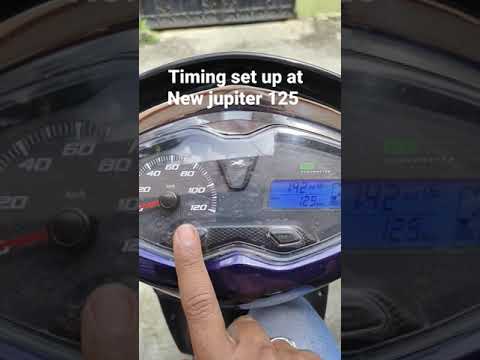
How to Set the Time on the TVS Jupiter 125
(Various brands) Various
.. If the central display on your TVS Jupiter 125 shows the wrong time and you are wondering how to change it manually, just follow this guide.. …

Jupiter
.. As the time change approaches, it’s also necessary to update the clock on the TVS Jupiter 125 motorcycle. T.. …

(Various brands) Various
.. To set the clock on the TVS Jupiter 125, turn on the ignition by inserting the key into the ignition switch. Once the display is.. …

(Various brands) Various
.. In this tutorial, see how to set the time on the TVS Ntorq 125 scooter, a very simple and quick operation, for example, after disconnecting.. …
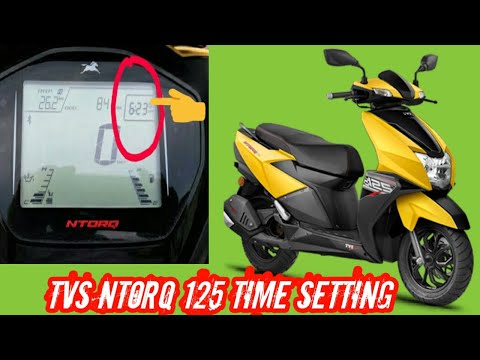
(Various brands) Various
.. display of your TVS Ntorq 125 shows the wrong time and you want to change it manually, carefully follow the instructions below and then put them into.. …
How do you change the time on the Lancia Ypsilon?
Answer: To set the time of the Lancia Ypsilon clock, start the engine and, using the keys located near the four arrow key, enter the vehicle menu. Then, enter...
Read all
Posted on 22-05-2022
How to set the time on Piaggio Medley?
Answer: To adjust the clock on Piaggio Medley, first turn on the ignition, but do not start the engine, press and hold down the "SET" button for at least 5 se...
Read all
Posted on 19-01-2023
How to set the time in the Fiat Panda?
Answer: Changing the timetable in the Fiat Panda is very simple. With the ignition on, press the Set button on the center console and navigate to the "Adjust ...
Read all
Posted on 10-05-2022
How do I set the time in the Opel Astra H?
Answer: Press the Set key to access the menu and from here, using the keys depicting two arrows on the dashboard, select the Clock item. At this point, press ...
Read all
Posted on 19-09-2022
How to adjust the time in the Toyota Yaris Hybrid?
Answer: Setting the time in the Toyota Yaris Hybrid is very simple. In the central display, press the "menu" button, access the settings section and then the ...
Read all
Posted on 22-11-2021
|
|
|
For advertising on this site Write to info@scegliauto.com
ScegliAuto is not responsible for any inaccuracy of the data in the lists. To report any inaccuracy or your business (if you own the business in question), please write to info@scegliauto.com
Number of seconds to generate the page: 0.159
(c) ScegliAuto 2026 - info@scegliauto.com - Privacy policy VAT number: IT01247470535 |
