
|
Do it yourself
| |||
| ||||


|
Model: (Various brands) Various
In this tutorial, we can see how to adjust the time on the TVS Ntorq 125 scooter, an extremely simple and fast operation to be carried out, for example, after disconnecting the battery or following the switch to daylight saving time. First, insert the key, then turn on the instrument panel and hold down the "MODE" button located in the lower left area of the dashboard. Once the time starts flashing, change it by repeatedly pressing the "SET" button on the right, move to minutes with the "MODE" button, and save the setting in the same way.
Posted on 13 June 2024 by ScegliAuto
Video tutorial
Related tutorials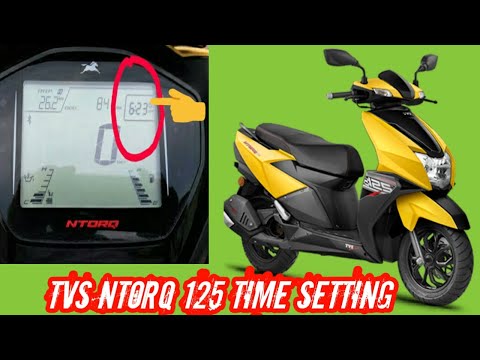
(Various brands) Various
If the central display of your TVS Ntorq 125 shows the wrong time and you want to change it manually, carefully follow the instructions below and the…

(Various brands) Various
In this tutorial, we can see how to adjust the time on the TVS Ntorq scooter, an extremely simple and quick operation, to be done for example after r…

(Various brands) Various
Setting the clock on a TVS Ntorq scooter is a very simple and quick operation, which can be done independently in just a few minutes of your time. St…
|
How to adjust the valve clearance on the Moto Guzzi V85TT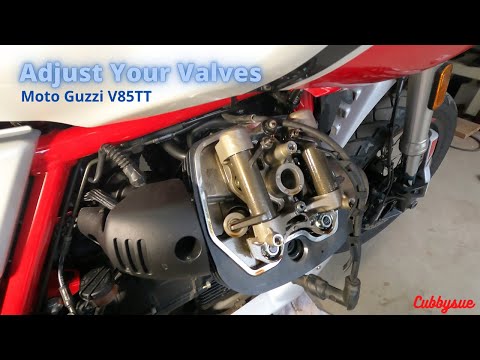
Valve adjustment is very important to ensure the proper functioning of the engine; by following the appropriate instructions, it is indeed possible to adjust the valve clearance of the Moto Guzzi V85TT by yourself. First, put the motorcycle on the center stand and start by removing the cylinder head cover, unscrewing all the fixing screws; then use a feeler gauge to measure the valve clearance, adjusting it according to the instructions in the motorcycle's user manual, following the video tutorial until the end! by ScegliAuto More videos
|
|
For advertising on this site Write to info@scegliauto.com
ScegliAuto is not responsible for any inaccuracy of the data in the lists. To report any inaccuracy or your business (if you own the business in question), please write to info@scegliauto.com
Number of seconds to generate the page: 0.039
(c) ScegliAuto 2026 - info@scegliauto.com - Privacy policy VAT number: IT01247470535 |
