
|
Do it yourself
| |||
| ||||



Search performed for Mazda Cx 30 Tpms Reset Button
Mazda Cx 30 Tpms Reset Button

How to reset the oil indicator light on the Mazda CX 30
Mazda Cx 30
(2019-2026 /
MK 1, )
.. If you want to manually reset the oil light on your Mazda CX 30, just follow the procedure described in our new guide. Start.. .. panel is completely off, then locate the button above the fuel gauge. Once you have found the button, press and hold it while turning on the instrument.. …

Mazda Cx 30
(2019-2026 /
MK 1, )
.. In this new mini guide, you will discover how to reset the engine oil light on your new Mazda CX-30. First, you must start the ignition by pressing the.. …

Mazda Cx 30
(2019-2026 /
MK 1, )
.. To manually reset the service light on your Mazda CX-30 (year 2024), simply follow the steps described in the following guide. First, start the car's.. …

Mazda Cx 30
(2019-2026 /
MK 1, )
.. you will see the entire operation necessary to reset the service interval on a Mazda CX-30 using only the controls on the centre console. First, turn.. .. the ignition of your vehicle and press the HOME button to open the menu on the multimedia display of the dashboard. Next, select the options "Information",.. …
Mazda Cx 30
(2019-2026 /
MK 1, )
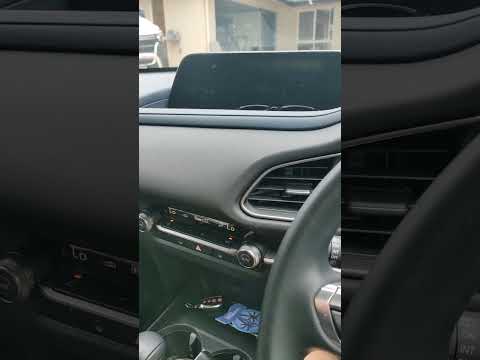
.. In this tutorial, you will see how to reset the service light in the Mazda CX-30, an extremely simple and quick operation to perform only after.. .. on the instrument panel, then press the "Home" button on the central console and navigate to the "Information" section. Next, enter "Vehicle Status.. …
What does the "DPF" warning light mean on a Mazda CX-3?
Answer: When the "DPF" light comes on in the Mazda Cx-3 instrument cluster, the car wants to let us know that the particulate filter needs to be replaced. Whe...
Read all
Posted on 24-08-2021
What does the wrench light on the Mazda 3 indicate?
Answer: The wrench-shaped icon appearing on the Mazda 3 screen indicates that you need to go to an authorized workshop to have your car serviced. The icon can...
Read all
Posted on 1-06-2023
|
|
|
For advertising on this site Write to info@scegliauto.com
ScegliAuto is not responsible for any inaccuracy of the data in the lists. To report any inaccuracy or your business (if you own the business in question), please write to info@scegliauto.com
Number of seconds to generate the page: 0.047
(c) ScegliAuto 2026 - info@scegliauto.com - Privacy policy VAT number: IT01247470535 |
