
|
Do it yourself
| |||
| ||||


|
Search performed for Tmax 530 Side Cover Removal
Tmax 530 Side Cover Removal
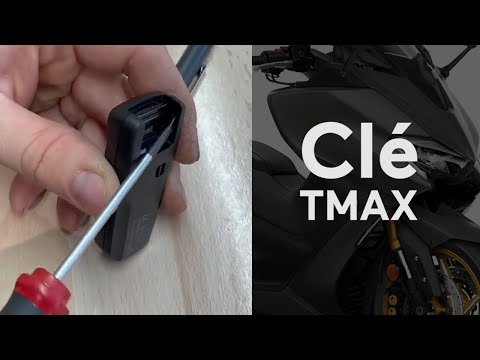
How to Replace the Battery in the Yamaha Tmax 530 Remote
Tmax 530
.. To replace the battery in the Yamaha Tmax 530 remote, pull the key out from the top of the device. Once the key is removed, lever inside its.. .. At this point, detach the circular battery cover to remove the battery from its housing. After removal, insert a new battery and reassemble all.. …

Tmax 530
.. To replace the battery on a Yamaha TMAX 530, first, remove the glove compartment located on the lower left side of the handlebars. Once.. .. is removed, loosen the screws securing the cover around it and remove it completely. Underneath, you will find the battery, which can be extracted.. …

Tmax 530
.. Replacing the bulb on the Tmax 530 is not difficult and can be done independently. However, it is advisable to visit a workshop.. .. the clip with its fastener, then refit the cover... …

Tmax 530
.. To replace the battery on a Yamaha TMAX 530, start by removing the storage compartment located at the bottom left of the handlebars. Once.. .. is removed, unscrew the screws securing the cover around it and remove it completely. Underneath, you will find the battery, which can be extracted.. …

Tmax 530
.. remove and replace the drive belt on the Yamaha Tmax 530 scooter. First, place the central stand and start by removing the side plastic fairing on the.. .. side; then, unscrew the fixing screws of the cover to access the drive belt, as shown in the video. Next, remove the fan and the variator by unscrewing.. …
|
|
|
For advertising on this site Write to info@scegliauto.com
ScegliAuto is not responsible for any inaccuracy of the data in the lists. To report any inaccuracy or your business (if you own the business in question), please write to info@scegliauto.com
Number of seconds to generate the page: 0.067
(c) ScegliAuto 2026 - info@scegliauto.com - Privacy policy VAT number: IT01247470535 |
