
|
Do it yourself
| |||
| ||||


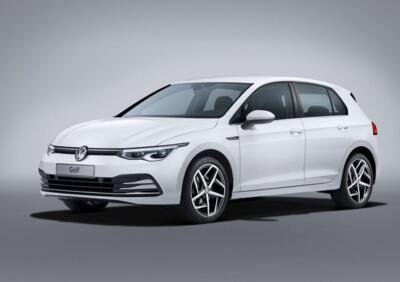
How to reset the Infotainment system in the Volkswagen Golf 8?
Years:
2019-2026
In case the Volkswagen Golf 8's Infotainment system shows signs of malfunction, a reset can be attempted. To reset, simply hold down the system power button for about 30 seconds. The key in question is located to the left of the keys relating to the climate control.
Video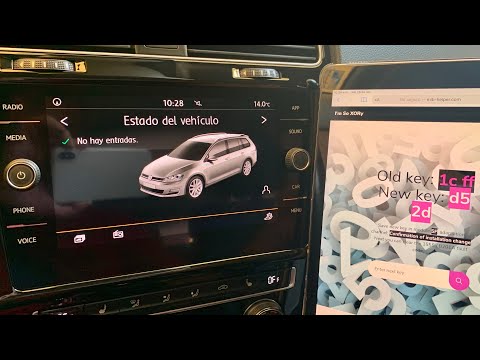
How to Reset the Infotainment System on the Volkswagen Golf?
Volkswagen Golf
(2012-2019 /
Golf 7, Golf VII, MK 7)
To reset the infotainment system on the Volkswagen Golf, turn on the instrument cluster by turning the key in the ignition switch. Then, connect a sc…

Volkswagen Golf
(2019-2026 /
Golf Viii, MK 8, Golf 8)
To reset the infotainment system on the Volkswagen Golf, turn on the ignition by inserting the key into the ignition switch: once the ignition is on,…

Volkswagen Golf
(2019-2026 /
Golf Viii, MK 8, Golf 8)
It will be possible to reset the infotainment system on the Volkswagen Golf by turning on the instrument panel, inserting the ignition key into the c…
|
What does the Volkswagen Golf error code P171900 indicate?
Answer: 13-04-2023
What does the p171900 fault code indicate, in the Volkswagen Golf?
Answer: 21-02-2023
How do you use the emergency boot release on a Volkswagen Golf 6?
Answer: 13-02-2023
What is the position of the starter relay in the Volkswagen Golf mk6?
Answer: 7-02-2023
How to reset the Volkswagen Golf Infotainment system?
Answer: 15-09-2022
Where is the Volkswagen Golf 6 reverse light fuse located?
Answer: 29-06-2022
Where is the Volkswagen Golf windshield washer pump fuse located?
Answer: 24-06-2022
Why does the Volkswagen Golf 7 fuel filler flap not open?
Answer: 15-05-2022
What does the fault code 00883 mean in the Volkswagen Golf?
Answer: 10-05-2022
What does the Volkswagen Golf error P171900 mean?
Answer: 6-05-2022
Where is the parking sensor control unit of the Golf 6 located?
Answer: 20-01-2022
Where is the airbag fuse located in the Volkswagen Golf?
Answer: 17-11-2021
What does the DSG error message on the Volkswagen Golf Mk4 mean?
Answer: 13-10-2021
What to do when the brake pad warning light comes on on my Golf 7?
Answer: 23-09-2021 
|
