
|
Do it yourself
| |||
| ||||


How to reset the Audi A3 service
Model: Audi A3
8V, MK 3
- Years 2012-2019
Before proceeding with the service reset, make sure that the service has been actually performed or that you have carried out the necessary maintenance procedures on your Audi A3. Start the car: Make sure the car is turned off and all doors are closed. Turn on the ignition: Insert the key into the ignition and turn it to the "ON" position (without starting the engine). If your Audi A3 has a push-button ignition, press it without pressing the brake pedal to activate the ignition. Access the information menu: Use the button or rotary control on the dashboard to access the information menu on the dashboard. This is the display that shows you information about your car, such as fuel consumption, outside temperature, etc. Select the service option: Within the information menu, look for the "Service" or "Maintenance" option. This option may vary slightly depending on the year and version of your Audi A3. You should be able to scroll through the various options using the button or rotary control. Select "Reset": Once you have selected the "Service" or "Maintenance" option, you should see an option for reset. Select this option. Confirm the reset: After selecting the reset option, the system will ask you to confirm the operation. Confirm the reset by following the on-screen instructions. Wait for confirmation: After confirming the reset, the car will process the request and should display a confirmation message on the dashboard that the service has been successfully reset. Turn off the ignition: Turn off the car's ignition and then turn it back on to verify that the service has been successfully reset.
Posted on 20 March 2024 by ScegliAuto
Video tutorial
Related tutorials
Audi A3
(2012-2019 /
8V, MK 3)
Today we will explain how to reset the 2016 Audi A3 on your own. To reset the warning light, we turn on the instrument panel and the onboard computer…

Audi A3
(2012-2019 /
8V, MK 3)
Today we will explain how to reset the service light on an Audi A3 vehicle independently. The reset should be done only after performing the operatio…
Audi A3
(2003-2013 /
MK 2, 8P)
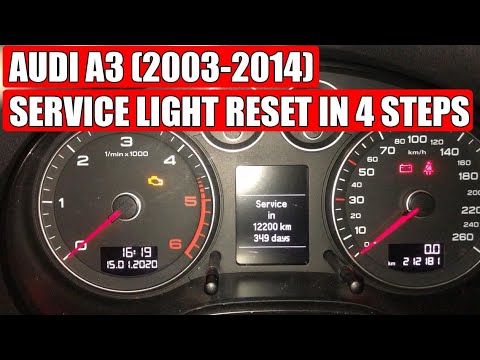
Let's see in today's video how to reset the expired service notice in your Audi A3 8P / 8V (the second series of the German three-volume). Get into t…
Other guides you may be interested in
|
Frequently Asked QuestionsBMW 2 Series Battery Replacement
Replacing the battery in your BMW 2 Series? Let's go through the battery replacement in the engine compartment. You will find the battery in the engine compartment, under the protective covers. Lift the hood by releasing the latch with your fingers, then secure it. Once the engine compartment is open, you will see the battery. Remove the battery cover. Unscrew the battery terminal clamp bolts, then remove the battery from the engine compartment and replace it with a new one (same voltage). Close the hood after the replacement. Start the engine and check its operation. by ScegliAuto More videos
|

|
For advertising on this site Write to info@scegliauto.com
ScegliAuto is not responsible for any inaccuracy of the data in the lists. To report any inaccuracy or your business (if you own the business in question), please write to info@scegliauto.com
Number of seconds to generate the page: 0.104
(c) ScegliAuto 2026 - info@scegliauto.com - Privacy policy VAT number: IT01247470535 |
