
|
Do it yourself
| |||
| ||||


Video tutorial
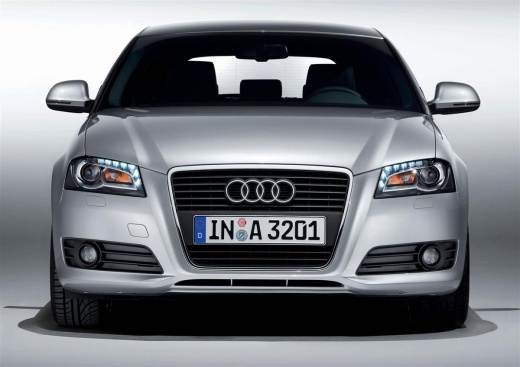
The attached video tutorial could not be a better example of the work mentioned. We are talking about disassembling the central console of the Audi A3 8P to replace the original car radio with a new generation one, so let's proceed to review the work: after extracting the car radio with the appropriate side tabs and disconnecting the rear cables, we move on to disassembling the air conditioning controls, then we remove the frame with a lever and unscrew the screws securing it. The final part involves disassembling the entire lower part of the console, which is secured by screws on both sides, in the tunnel area.
Posted on 21 January 2026 by ScegliAuto
Related tutorials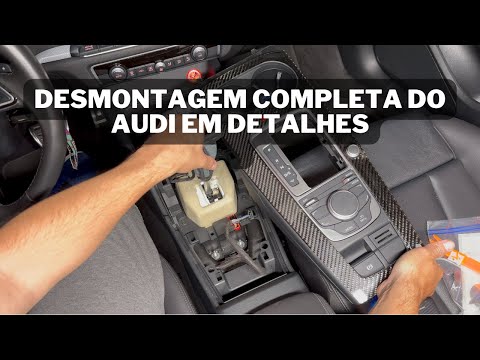
Audi A3
(2012-2019 /
8V, MK 3)
Follow these instructions to remove and replace the centre console of the Audi A3 in simple steps. First, get inside the vehicle and gently detach an…
Audi A3
(2012-2019 /
8V, MK 3)
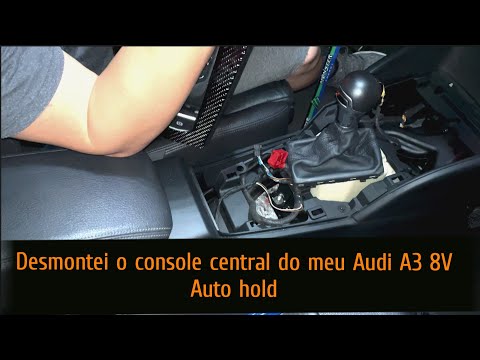
Here are the main details for removing and replacing the centre console of the Audi A3, in simple and quick steps. First, get inside the cabin and st…

Audi A3
(2003-2013 /
8P, MK 2)
The glove compartment of the dashboard is not the only storage compartment in a car, there are also others, for example the one in the central tunnel…
Other guides you may be interested in |
How to Reset the Tyre Light on a Toyota Aygo?
To reset the tyre light on a Toyota Aygo, start by locating the reset button, which is found in the glove compartment of the front passenger side. Turn on the car and ensure that the tyres are at the correct pressure. Then, press and hold the reset button for a few seconds until the tyre light either flashes or turns off, depending on the model. Release the button and wait for the reset procedure to complete. Restart your Toyota Aygo and check if the tyre light has turned off, indicating that the reset was successful. by ScegliAuto More videos
|
|
For advertising on this site Write to info@scegliauto.com
ScegliAuto is not responsible for any inaccuracy of the data in the lists. To report any inaccuracy or your business (if you own the business in question), please write to info@scegliauto.com
Number of seconds to generate the page: 0.022
(c) ScegliAuto 2026 - info@scegliauto.com - Privacy policy VAT number: IT01247470535 |
