
|
Do it yourself
| |||
| ||||


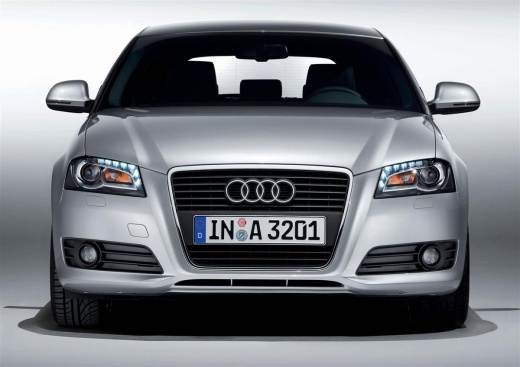
How to adjust the temperature of the Audi A3 air conditioner
Model: Audi A3
MK 2, 8P
- Years 2003-2013
The air conditioning temperature on an Audi A3 model 8p vehicle can be adjusted separately between the passenger and driver or collectively. To adjust the temperature separately, you will need to turn on the air conditioning and press the "+" or "-" buttons or knobs. To adjust the temperature collectively, you will need to turn on the air conditioning and press the "AUTO" button and then manipulate the knobs or press the "+" or "-" buttons. This function allows you to not waste fuel when turning on the air conditioner, as you only need to maintain the temperature on the driver's side.
Posted on 17 July 2024 by ScegliAuto
Video tutorial
Related tutorials
Audi A3
(2003-2013 /
MK 2, 8P)
In this video we see how to synchronize the zones of the Climatronic system in the Audi A3 version 8P, which will allow us to control the temperature…

Audi A3
(2003-2013 /
MK 2, 8P)
Today, learn how to turn on and set the air conditioning in an Audi A3 vehicle. Switch on the instrument panel and the engine, then press the AC butt…

Audi A3
(2003-2013 /
MK 2, 8P)
Adjusting the air conditioning on an Audi A3 model 8P vehicle is a very simple and quick operation to perform whenever necessary. Turn on the vehicle…
Other guides you may be interested in
|
How to Fold Down the Rear Seat on a Fiat Tipo
To fold down the rear seat on a Fiat Tipo for extra space in the cabin, first press the lever located on the backrest of the seat, move the seat forward, and rest it on the seat base. Pull the metal lever located at the back of the seat base, grasp the seat, and rotate it forward. Repeat the same operations on the other rear seats of the car, following the previously mentioned manoeuvres. You can load the volume of items you desire based on the space created by folding down the seats. by ScegliAuto More videos
|
|
For advertising on this site Write to info@scegliauto.com
ScegliAuto is not responsible for any inaccuracy of the data in the lists. To report any inaccuracy or your business (if you own the business in question), please write to info@scegliauto.com
Number of seconds to generate the page: 0.051
(c) ScegliAuto 2026 - info@scegliauto.com - Privacy policy VAT number: IT01247470535 |
