
|
Do it yourself
| |||
| ||||


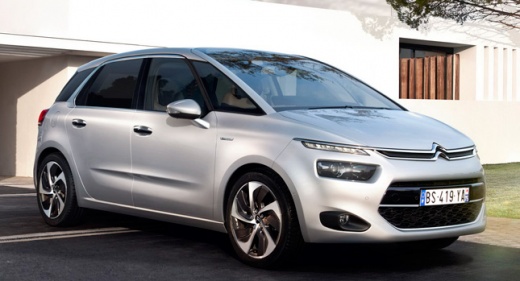
How to Reset the Tyre Pressure Light on the Citroen C4 Picasso
Model: Citroen C4 Picasso
MK 2
- Years:
2013, 2014, 2015, 2016, 2017, 2018, 2019, 2020, 2021, 2022
Video tutorial
The reset procedure is simple and does not require any tools. First, ensure that the tyres are inflated to the correct pressure, referring to the sticker located on the driver’s door pillar, then from the multimedia screen, access the "driving assistance" menu and look for "reset tyre pressure" or TPMS. Select the option confirming with "yes" or "ok" and you will hear a confirmation beep. Once the display has been initialised, the system requires a short driving period to recalibrate. Drive for 10 to 20 minutes at a speed above 18.6 mph (30 km/h) at a constant speed so that the system can memorise the new reference values.
Posted on 11 October 2026 by ScegliAuto
Related tutorials
Citroen C4 Picasso
(2013-2022 /
MK 2)
Today's guide will show you how to reset the tyre pressure monitoring system (TPMS) light on the Citroen C4 Picasso and C4 Grand Picasso; before perf…

Citroen C4 Picasso
(2013-2022 /
MK 2)
To reset the tyre pressure warning light on the Citroën C4 Picasso, first inflate the tyres to the recommended pressure value, which is indicated on …

Citroen C4 Picasso
(2013-2022 /
MK 2)
To reset the tyre pressure light on the Citroën C4 Picasso, first inflate the tyres to the pressure indicated on the sticker located on the driver's …
ScegliAuto offers an extensive international collection of automotive tutorials available in 12 languages. Each guide combines instructional videos with original explanations written by experienced human editors, along with information about the car models covered.
Other guides you may be interested in |
How to open the bonnet on a Jeep Renegade
Opening the bonnet on a Jeep Renegade is a simple, quick job that you can do yourself when you need to check the engine bay. Follow these steps: by ScegliAuto More videos
|
|
For advertising on this site Write to info@scegliauto.com
ScegliAuto is not responsible for any inaccuracy of the data in the lists. To report any inaccuracy or your business (if you own the business in question), please write to info@scegliauto.com
Number of seconds to generate the page: 0.011
(c) ScegliAuto 2026 - info@scegliauto.com - Privacy policy - About us VAT number: IT01247470535 |
