
|
Do it yourself
| |||
| ||||


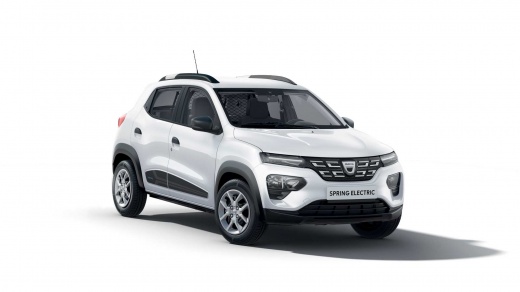
How to Reset the Tyre Pressure Light on the Dacia Spring?
Model: Dacia Spring
MK 1
- Years:
2021, 2022, 2023, 2024, 2025, 2026
Video tutorial
You can perform the reset of the tyre pressure light on the Dacia Spring by first inflating the tyres to the optimal pressure value: this value is written on the sticker located on the inner pillar of the driver's door. At this point, go inside the cabin and switch on the ignition: navigate through the menu that appears on the instrument cluster, selecting "Vehicle" and then "Tyre Reset" using the controls on the steering wheel. In the screen that now appears, select "Reset" to make the light disappear.
Posted on 25 October 2026 by ScegliAuto
Related tutorials
Dacia Spring
(2021-2026 /
MK 1)
Follow these main instructions to reset the tyre pressure monitoring system (TPMS) warning light on the Dacia Spring. Before performing the reset, en…

Dacia Spring
(2021-2026 /
MK 1)
To completely clear the tyre pressure light from the dashboard of the Dacia Spring, inflate all the tyres to the pressure indicated on the label on t…
Dacia Spring
(2021-2026 /
MK 1)
Today's instructions will show you how to reset the tyre pressure warning light (TPMS) on the Dacia Spring; before performing the reset, ensure that …
Other guides you may be interested in
|
How to Replace the Battery in a BMW 2 Series Active Tourer?
To replace the battery in a BMW 2 Series Active Tourer, open the hood to access the components in the engine compartment: in the upper right corner, just below the windshield on the driver's side, you will find a panel to remove. The battery is located under this panel and can be removed by loosening the screws that secure it and disconnecting the power cables; this will allow you to connect and install the new battery to ensure everything functions correctly. by ScegliAuto More videos
|
|
For advertising on this site Write to info@scegliauto.com
ScegliAuto is not responsible for any inaccuracy of the data in the lists. To report any inaccuracy or your business (if you own the business in question), please write to info@scegliauto.com
Number of seconds to generate the page: 0.063
(c) ScegliAuto 2026 - info@scegliauto.com - Privacy policy VAT number: IT01247470535 |
