
|
Do it yourself
| |||
| ||||


DR 5 0 - Video guides DR 5 0 (2018-2025 / MK 1)
How to Set the Time on the DR 5.0 The instructions in this guide will show you how to adjust the time on the display of the DR 5.0 instrument cluster. First, get in the vehicle and turn on the …Read all… Posted on 27 May 2026 by ScegliAuto  DR 5 0 (2018-2025 / MK 1)
How to Remove the Front Door Panel of the DR 5.0 Today, you will discover how to remove and detach the front door panel of the DR 5.0. First, open the front door of the vehicle and start removing the plastic …Read all… Posted on 15 May 2026 by ScegliAuto  DR 5 0 (2018-2025 / MK 1)
How to connect the smartphone to the multimedia system of the DR 5.0 The instructions provided in this guide will show us how to connect our smartphone to the multimedia system via Bluetooth on the DR 5.0. First, let's get into …Read all… Posted on 27 December 2025 by ScegliAuto 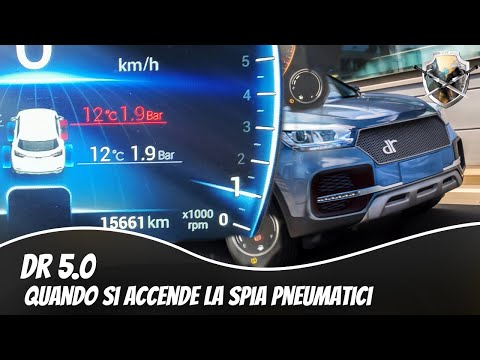 DR 5 0 (2018-2025 / MK 1)
How to reset the tyre pressure warning light on the DR 5.0? To reset the tyre pressure warning light on the DR 5.0, first turn on the ignition to access the specific screen that shows which tyre is not inflated …Read all… Posted on 22 September 2026 by ScegliAuto 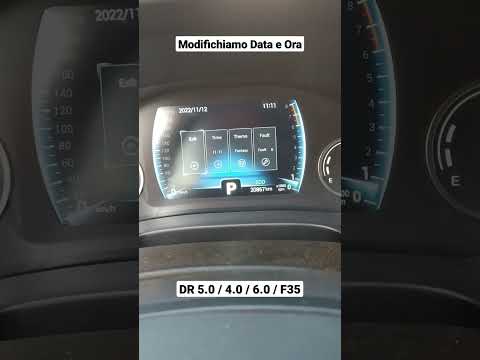 DR 5 0 (2018-2025 / MK 1)
How to Set the Clock on a DR 5.0? To set the clock on a DR 5.0, turn on the instrument cluster by turning the key in the ignition lock. Once the cluster is powered on, select the "Time" option. …Read all… Posted on 22 September 2026 by ScegliAuto  DR 5 0 (2018-2025 / MK 1)
How to Connect Your Smartphone to the DR 5.0 Car Radio? To connect your smartphone to the DR 5.0 car radio, download the QDrive application on your phone: once downloaded and permissions granted, you can use a USB …Read all… Posted on 10 August 2026 by ScegliAuto  DR 5 0 (2018-2025 / MK 1)
How to Replace the Wiper Blades on the DR 5.0 To replace the wiper blades on the DR 5.0, lift the blades away from the windscreen so they are not in contact with it. Once lifted, tilt them to remove the …Read all… Posted on 9 August 2026 by ScegliAuto
Checks and maintenance (2)
Clock (2)
Door trim panel (1)
Tire pressure warning light (1)
Windshield wipers (1)
|
See also:How to Open the Bonnet on the Lancia Y
To open the bonnet on this vehicle, follow these simple instructions: first, open the driver's door and locate the lever positioned just below the dashboard, marked with an image of the vehicle with the bonnet open. Pull this lever towards you until you hear a "click" indicating the bonnet is released. Next, exit the cabin and stand in front of the bonnet to disengage the safety catch and complete the opening. To do this, slightly lift the bonnet, locate the yellow lever underneath, and pull it to the left to fully release and open the bonnet. by ScegliAuto More videos
|
|
For advertising on this site Write to info@scegliauto.com
ScegliAuto is not responsible for any inaccuracy of the data in the lists. To report any inaccuracy or your business (if you own the business in question), please write to info@scegliauto.com
Number of seconds to generate the page: 0.326
(c) ScegliAuto 2026 - info@scegliauto.com - Privacy policy VAT number: IT01247470535 |
