
|
Do it yourself
| |||
| ||||


How to Set the Time on the Ducati Scrambler
Model: Ducati Scrambler
Video tutorial
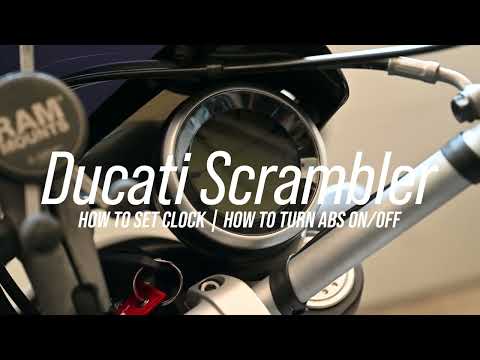
To change the time displayed on the central display of your Ducati Scrambler, follow these simple and quick steps. First, insert the key and turn on only the bike's dashboard. Next, press the lower button on the left knob and use the same button to navigate through the menu that appears. Select the "Clock" option and hold the same button for a few seconds. When the "Set" message appears, release the button and use the grey button to adjust both the hour and minute digits.
Updated on 5 July 2026 by ScegliAuto
Related tutorials
Scrambler
.. In this tutorial, see how to set the time on the Ducati Scrambler, a very simple and quick operation, to be done for example.. …

Scrambler
If you want to manually set the time displayed on your Ducati Scrambler's dashboard, follow the instructions below. First, insert the key and turn on…
Scrambler
To set the clock on the Ducati Scrambler, turn on the ignition by turning the key in the ignition switch: this will allow you to navigate the menu us…
|
How to Change the Engine Oil of a Harley Davidson Sportster
Changing the engine oil of a Harley Davidson Sportster requires a few simple operations performed with care. Start by positioning the bike securely, preferably using a centre stand or suitable support. Locate the oil drain plug under the engine and place a container to collect the used fluid. After removing the plug, allow the oil to drain completely, waiting a few minutes for all the fluid to be expelled. Once emptied, reinsert the plug and ensure it is tightly screwed in. At this point, locate the oil filler cap, unscrew it, and pour in the recommended quantity and type of oil as specified by the manufacturer. Check the level using the dipstick or built-in indicator, adjusting the quantity if necessary. After finishing, briefly start the engine to allow the oil to circulate, then check the level again to ensure it is correct. by ScegliAuto More videos
|
|
For advertising on this site Write to info@scegliauto.com
ScegliAuto is not responsible for any inaccuracy of the data in the lists. To report any inaccuracy or your business (if you own the business in question), please write to info@scegliauto.com
Number of seconds to generate the page: 0.006
(c) ScegliAuto 2026 - info@scegliauto.com - Privacy policy VAT number: IT01247470535 |
