
|
Do it yourself
| |||
| ||||


Indicator Replacement for Fiat Ducato
Model: Fiat Ducato
X290
- Years 2014-2026
Changing the headlamp unit of the Fiat Ducato is a straightforward task, as the video demonstrates. First, open the bonnet, unscrew the side screws using a T30 Torx spanner, and remove the two bolts securing the headlamp. Gently wiggle the headlamp until it comes free from its housing, then disconnect the electrical connector. Once you have access to the lamps, use pliers to remove and replace the various bulbs. Remember that each bulb has a small plastic cap that must be removed and reattached after the job is done. After replacing the bulbs, reattach the two bolts and test the lights.
Updated on 10 March 2026 by ScegliAuto
This video is currently unavailable
Related tutorials
Fiat Ducato
(2014-2026 /
X290)
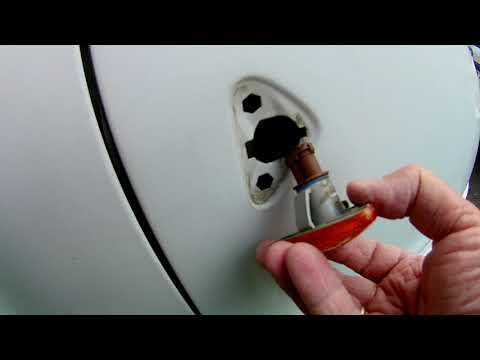
Replacing the indicator bulb in the mirror on the Fiat Ducato x290 van is a very simple and quick operation, as shown in the attached video tutorial.…
Fiat Ducato
(1981-1994 /
)
To replace the side indicator bulbs on a Fiat Ducato, use a tool to lever up the orange cover, which contains the bulb connected to the connector. Re…

Fiat Ducato
(2014-2026 /
X290)
In this guide, you will find instructions to remove and replace the indicator bulb in the external wing mirror of the Fiat Ducato. First, move to the…
Other guides you may be interested in |
How to Connect the Cables to the Battery of the Citroen Xsara Picasso?
In this tutorial, you will see how to connect the cables to the battery of the Citroen Xsara Picasso, useful if you need to recharge it or perform an emergency start. First, ensure the key is not inserted, then open the bonnet and move to the front of the left headlamp. Next, locate the bolt just behind the filter box and connect the positive terminal clamp to it. Now you can connect the negative terminal to any point on the chassis, such as the indicated point. Once the operation is complete, ensure you disconnect the negative first and then the positive. by ScegliAuto More videos
|
|
For advertising on this site Write to info@scegliauto.com
ScegliAuto is not responsible for any inaccuracy of the data in the lists. To report any inaccuracy or your business (if you own the business in question), please write to info@scegliauto.com
Number of seconds to generate the page: 0.103
(c) ScegliAuto 2026 - info@scegliauto.com - Privacy policy VAT number: IT01247470535 |
