
|
Do it yourself
| |||
| ||||


How to mount an iPhone holder on the Genesis G70.
Model: Genesis G70
MK 1
- Years 2018-2025
As explained in the video, adding this phone holder to your Genesis G70 car is very simple. First, you need to purchase an 18-gauge sheet of metal, paint it black with a plaid frame and ring closures on the back, while thin strips of velcro are applied on the front. Meanwhile, you need to build the mounting bracket for the sheet where the holder will be placed. Take 3mm plexiglass and build a support to fit into the cabin space as shown in the video. Use heavy-duty tape that can support at least 4 kg. Attach the plaid frame to the tape.
Posted on 23 May 2023 by ScegliAuto
Video tutorial
Related tutorials
Genesis G70
(2018-2025 /
MK 1)
If you own a Genesis G70 and want to find out the steps to replace the battery inside the key, then all you have to do is read the following guide an…

Genesis G70
(2018-2025 /
MK 1)
Replacing the battery in the key of your Hyundai Genesis G70 is certainly a maintenance operation that you can easily perform on your own and without…

Genesis G70
(2018-2025 /
MK 1)
In the following guide, we will discover together how to quickly and safely perform a manual reset of the oil light on the dashboard of your 2023 Gen…
Other guides you may be interested in |
Removing the Timing Belt on a Suzuki Vitara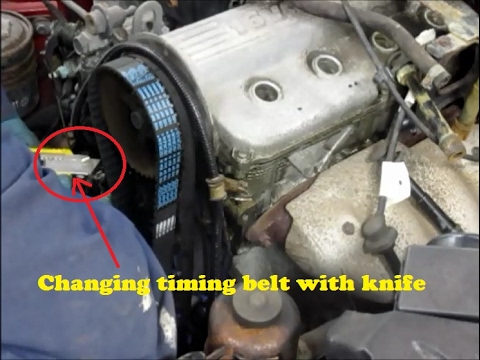
In this video, see the removal and replacement of the timing belt and water pump on a Suzuki Vitara. Open the bonnet and lift it, securing it in place. Use a socket wrench to remove the cooling radiator along with the associated hoses. Disconnect the power wiring using pliers, and remove the plastic undertray with a screwdriver. Use a spanner to loosen the tensioner pulley and slide the belt off its seat. Use a socket wrench to unscrew the tensioner pulley bolt, and remove the water pump as shown in the video. Fit the new water pump, the tensioner, and the belt itself, tightening everything with the socket wrench. Finally, reinstall the radiator with the securing bolts. by ScegliAuto More videos
|

|
For advertising on this site Write to info@scegliauto.com
ScegliAuto is not responsible for any inaccuracy of the data in the lists. To report any inaccuracy or your business (if you own the business in question), please write to info@scegliauto.com
Number of seconds to generate the page: 0.043
(c) ScegliAuto 2026 - info@scegliauto.com - Privacy policy VAT number: IT01247470535 |
