
|
Do it yourself
| |||
| ||||


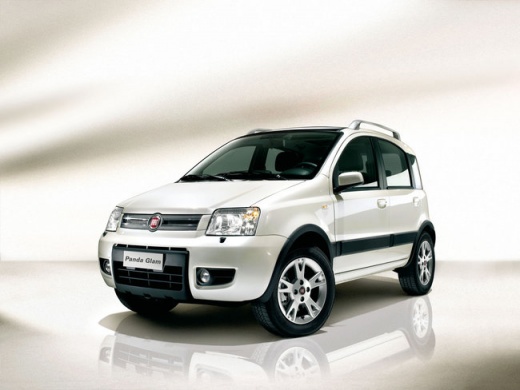
Removing the Drive Shaft on a Fiat Panda
Model: Fiat Panda
169, MK 2
- Years:
2003, 2004, 2005, 2006, 2007, 2008, 2009, 2010, 2011, 2012
Video tutorial
Learn how to remove the drive shaft on a Fiat Panda. Lift the car on a column lift and locate the drive shaft. Using a socket spanner, undo the securing bolts on either side of the drive shaft (remove the bolts around the plates) where it is situated. Once the part is removed, take it out of the vehicle (replace it with a new drive shaft). Finally, refit the new drive shaft (connect it on both sides) and tighten the appropriate bolts. Lower the car and test its proper functioning.
Updated on 15 March 2026 by ScegliAuto
Related tutorials
Fiat Panda
(1980-2003 /
MK 1, 141)
For this job, you need to work with the car raised and be able to work underneath it. This is a task suitable for reasonably experienced individuals.…
Fiat Panda
(1980-2003 /
MK 1, 141)
This video shows the essential operations and the necessary tools for removing the driveshaft on a Panda 4x4. Lift the car using four jacks or a hydr…
Fiat Panda
(2003-2012 /
169, MK 2)
Before starting, open the bonnet of your Fiat Panda. Begin by lifting the front of the car. Then, unclip the connector securing the crankshaft positi…
Other guides you may be interested in |
How to lower the rear seats in the Peugeot 206?
In this tutorial, you will see how to lower the rear seats in the Peugeot 206, a very simple and quick operation, for example, if you need more space in the boot. First, open both the doors and the tailgate, then unclip the seat base and position it vertically. Next, remove the horizontal partition, locate the release levers at the ends of both seatbacks, and, by operating them, lower the seatbacks. To reassemble everything, simply follow the reverse procedure. by ScegliAuto More videos
|
|
For advertising on this site Write to info@scegliauto.com
ScegliAuto is not responsible for any inaccuracy of the data in the lists. To report any inaccuracy or your business (if you own the business in question), please write to info@scegliauto.com
Number of seconds to generate the page: 0.019
(c) ScegliAuto 2026 - info@scegliauto.com - Privacy policy VAT number: IT01247470535 |
