
|
Do it yourself
| |||
| ||||


|
Model: Harley Davidson Sport Glide
To change the engine oil on a Harley Davidson Sport Glide, unscrew the drain plug located at the bottom of the oil tank, centrally positioned. By unscrewing this plug, collect the oil in a suitably placed container. Once all the oil has drained out, close the drain plug and unscrew the screws securing the circular protection plate on the left side of the bike. Using a funnel, refill with the necessary amount of new oil.
Updated on 16 June 2026 by ScegliAuto
This video is currently unavailable
Related tutorials
Sport Glide
In order to replace the air filter of the Harley Davidson Sport Glide, you need to loosen the screws that hold it to its supports: this filter will b…

Sport Glide
In today's video, you will see how to dismantle and replace the front brake pads on a Harley Davidson Sport Glide. First, loosen the bolts securing t…

Sport Glide
In order to replace the battery of the Harley Davidson Sport Glide, you need to loosen the screws that secure the seat of the motorcycle to its housi…
|
How to Remove the Belt and Variator from the Aprilia SR MAX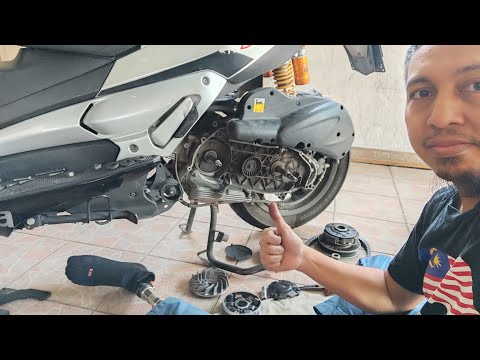
In this brief and simple guide, follow the instructions to remove and replace the drive belt and variator of the Aprilia SR MAX scooter. First, place the scooter on its centre stand and start unscrewing the screws of the transmission cover to remove it. Next, unscrew the central nut of the fan and clutch bell to take them off, as shown in the video. Now, remove the drive belt and variator, replacing the rollers if necessary; then refit all the transmission components. by ScegliAuto More videos
|
|
For advertising on this site Write to info@scegliauto.com
ScegliAuto is not responsible for any inaccuracy of the data in the lists. To report any inaccuracy or your business (if you own the business in question), please write to info@scegliauto.com
Number of seconds to generate the page: 0.126
(c) ScegliAuto 2026 - info@scegliauto.com - Privacy policy VAT number: IT01247470535 |
