
|
Do it yourself
| |||
| ||||


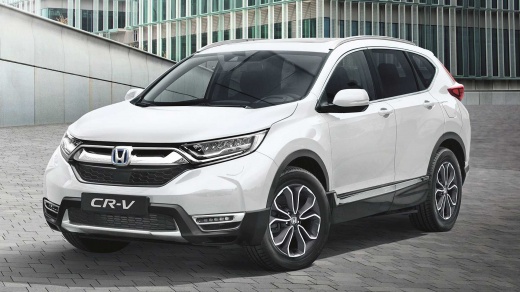
How to reset the tire pressure light on the Honda CR-V?
Model: Honda CR-V
MK 5
- Years 2017-2022
In this tutorial, we can see how to reset the tire pressure light in the Honda CR-V, an extremely simple and quick operation, to be performed only after restoring the correct pressure in each tire following the instructions in the manual. First of all, let's go inside the cabin, then insert the key and turn on the instrument panel. Next, press the "HOME" button on the left of the touchscreen display, go to "Settings", "Vehicle", "TPMS Calibration", and perform the reset by selecting the "Calibrate" option. To complete the procedure, simply restart the instrument panel.
Posted on 29 August 2024 by ScegliAuto
Video tutorial
Related tutorials
Honda CR-V
(2012-2017 /
MK 4)
In a few simple steps, we will see how to reset the tire pressure warning light on the Honda CR-V; before resetting the TPMS sensors, it is necessary…

Honda CR-V
(2023-2026 /
MK 6, RS)
Today we will discover the instructions on how to reset the tire pressure warning light on the Honda CR-V; before resetting the TPMS sensors, it is n…

Honda CR-V
(2012-2017 /
MK 4)
In this tutorial we can see how to reset the tire pressure light in the Honda CR-V, an extremely simple and quick operation, to be carried out only o…
Other guides you may be interested in
|
Resetting the Tyre Pressure Warning Light on the Hyundai I20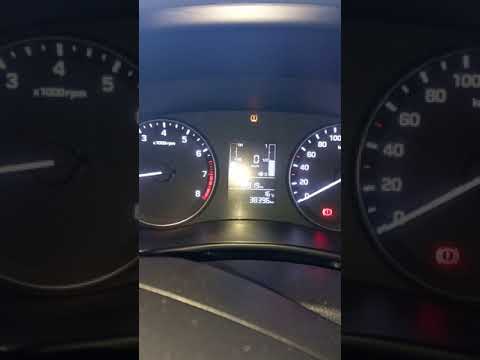
Today, let's look at the instructions to reset the tyre pressure warning light on the Hyundai I20 in simple and quick steps. The vehicle is equipped with an automatic TPMS that constantly monitors tyre pressures; when an anomaly occurs, the system triggers an alarm, displaying the relevant warning light on the dashboard. So, restore the tyre pressures, which will automatically reset the TPMS light on the dashboard; finally, turn off the ignition and start the engine! by ScegliAuto More videos
|
|
For advertising on this site Write to info@scegliauto.com
ScegliAuto is not responsible for any inaccuracy of the data in the lists. To report any inaccuracy or your business (if you own the business in question), please write to info@scegliauto.com
Number of seconds to generate the page: 0.434
(c) ScegliAuto 2026 - info@scegliauto.com - Privacy policy VAT number: IT01247470535 |
