
|
Do it yourself
| |||
| ||||


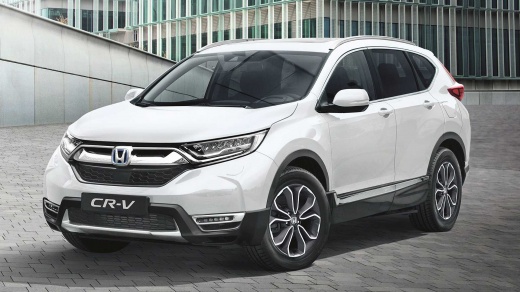
How to reset the tire pressure light in the Honda CR-V?
Model: Honda CR-V
MK 5
- Years:
2017, 2018, 2019, 2020, 2021, 2022
Video tutorial
In this tutorial, we can see how to reset the tire pressure light in the Honda CR-V, an extremely simple and quick operation, to be done only once the correct pressure of each tire has been restored following the instructions in the manual. First of all, let's go inside the car, then insert the key and turn on the instrument panel. Next, we reach the general menu on the touchscreen display, enter "Settings", "Vehicle", "TPMS Calibration", and reset by selecting the "Calibrate" option. To complete the procedure, simply restart the instrument panel.
Posted on 17 September 2025 by ScegliAuto
Related tutorials
Honda CR-V
(2012-2017 /
MK 4)
Today's information will allow us to reset the tire pressure warning on the Honda CR-V; before resetting the TPMS sensors, all four tires must be at …

Honda CR-V
(2017-2022 /
MK 5)
Let's discover the process of resetting the tire pressure warning on the Honda CR-V; before resetting the TPMS sensors, it is necessary for all four …

Honda CR-V
(2017-2022 /
MK 5)
Today's procedure and steps will allow us to reset the tire pressure warning of the Honda CR-V; before resetting the TPMS sensors, it is necessary th…
Other guides you may be interested in |
How to reset the Service light on a 2019 Jeep Renegade?
The Service light, depicted as a yellow spanner, illuminates as scheduled to remind the driver that it is time for scheduled maintenance. This means that the set mileage has been reached, or the expected time has passed. The procedure involves turning on the instrument cluster, pressing the accelerator three times, and then turning off the ignition. After this, keep the brake pressed, turn the ignition back on, and then turn it off again. Upon the next ignition, you will notice that the light has been reset. by ScegliAuto More videos
|
|
For advertising on this site Write to info@scegliauto.com
ScegliAuto is not responsible for any inaccuracy of the data in the lists. To report any inaccuracy or your business (if you own the business in question), please write to info@scegliauto.com
Number of seconds to generate the page: 0.193
(c) ScegliAuto 2026 - info@scegliauto.com - Privacy policy VAT number: IT01247470535 |
