
|
Do it yourself
| |||
| ||||


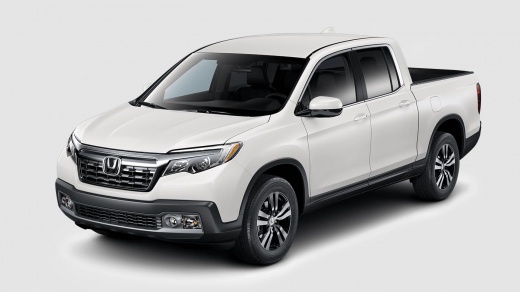
How to Change the Color of the Honda Emblem and the Ridgeline Name on a Honda Ridgeline
Model: Honda Ridgeline
MK 2
- Years:
2016, 2017, 2018, 2019, 2020, 2021, 2022, 2023, 2024
Video tutorial
If there was a stereotype, it was that Americans loved chrome finishes. However, we can say this is not true, as videos of Americans wanting to change the color of the chrome parts on their vehicles are abundant. Here's an example: On the back of this Honda Ridgeline, there were the emblem, the model name, and the engine size. Our YouTuber removed all the details with a wire, leaving painter's tape to mark the exact spots for the modified lettering, cleaned and degreased the bodywork, painted the lettering black, and repositioned them. You can choose to make them glossy or matte!
Updated on 5 June 2026 by ScegliAuto
Related tutorials
Honda Ridgeline
(2005-2014 /
MK 1)
To replace the headlight bulb on a Honda Ridgeline, open the hood to access the inside of the corresponding headlight. Next, remove the circular cove…

Honda Ridgeline
(2016-2024 /
MK 2)
In this mini guide for the new Honda Ridgeline, you will find the steps necessary to correctly replace the air filter on your own. Before you start, …
Honda Ridgeline
(2005-2014 /
MK 1)
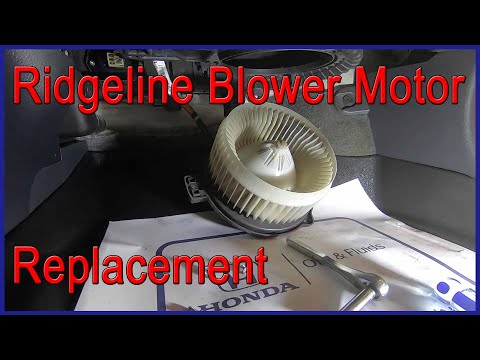
Today, let's go through the steps to remove and replace the cabin fan motor on the Honda Ridgeline, following the instructions below. First, get insi…
Other guides you may be interested in
|
How to unlock the radio of the Iveco Daily
When an Iveco Daily displays the radio error message or prompts to enter the radio code, it means you need to enter the unlock code to resume using the radio. This situation occurs after replacing or disconnecting the vehicle's battery. Enter the unlock code, which can be found in the vehicle's user manual or calculated through the "radio code" website. Input the code using the numeric buttons and then confirm by pressing the OK button. Once this is done, turn off and then turn on the ignition. by ScegliAuto More videos
|
|
For advertising on this site Write to info@scegliauto.com
ScegliAuto is not responsible for any inaccuracy of the data in the lists. To report any inaccuracy or your business (if you own the business in question), please write to info@scegliauto.com
Number of seconds to generate the page: 0.105
(c) ScegliAuto 2026 - info@scegliauto.com - Privacy policy VAT number: IT01247470535 |
