
|
Do it yourself
| |||
| ||||


How to Reset the Engine Oil Light in a Honda Ridgeline
Model: Honda Ridgeline
MK 1
- Years:
2005, 2006, 2007, 2008, 2009, 2010, 2011, 2012, 2013, 2014
Video tutorial
In this video tutorial, you can see the steps necessary to reset the engine oil light in a 2007 Honda Ridgeline pickup. First, get in the vehicle, insert the key into the ignition, and turn it to the first position to power on the instrument cluster without starting the engine. At this point, repeatedly press the select button on the right side of the instrument cluster display and select the oil life option. Now press the reset button until the service message starts flashing and you are prompted to confirm the reset. Confirm the reset and the operation will be complete.
Updated on 11 June 2026 by ScegliAuto
Related tutorials
Honda Ridgeline
(2005-2014 /
MK 1)
Here is the guide that will allow you to perform the routine maintenance service by changing the engine oil and oil filter of the Honda Ridgeline 3.5…

Honda Ridgeline
(2016-2024 /
MK 2)
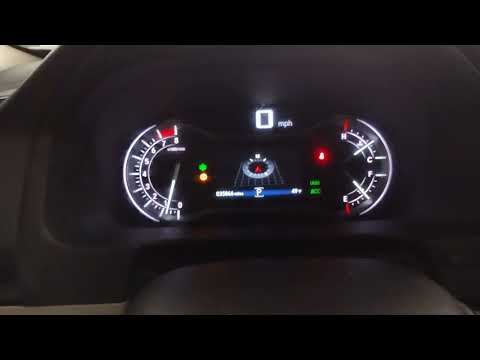
Today you will learn how to reset the oil light on a 2022 Honda Ridgeline. Turn on the vehicle's onboard computer and select the settings icon to acc…
Honda Ridgeline
(2016-2024 /
MK 2)
If you own a second-generation Honda Ridgeline (2019) and want to learn the steps to manually reset the engine oil light, carefully read the followin…
Other guides you may be interested in
|
How to unlock the radio of the Iveco Daily
When an Iveco Daily displays the radio error message or prompts to enter the radio code, it means you need to enter the unlock code to resume using the radio. This situation occurs after replacing or disconnecting the vehicle's battery. Enter the unlock code, which can be found in the vehicle's user manual or calculated through the "radio code" website. Input the code using the numeric buttons and then confirm by pressing the OK button. Once this is done, turn off and then turn on the ignition. by ScegliAuto More videos
|
|
For advertising on this site Write to info@scegliauto.com
ScegliAuto is not responsible for any inaccuracy of the data in the lists. To report any inaccuracy or your business (if you own the business in question), please write to info@scegliauto.com
Number of seconds to generate the page: 0.248
(c) ScegliAuto 2026 - info@scegliauto.com - Privacy policy VAT number: IT01247470535 |
