
|
Do it yourself
| |||
| ||||


How to Replace the Factory Radio with an Android Unit in the Honda WR-V
Model: Honda Wr V
GL, MK 1
- Years 2017-2024
In today's video, we will go through the steps to remove and replace the factory radio with an Android unit in the Honda WR-V. First, get inside the vehicle and start by removing the plastic cover located under the radio by unscrewing the mounting screws; then unscrew the screws of the factory radio, disconnecting the electrical connectors found on the back, as shown in the video. At this point, install the new Android multimedia system, making wiring modifications if necessary; then reassemble everything!
Updated on 13 June 2026 by ScegliAuto
Video tutorial
Related tutorials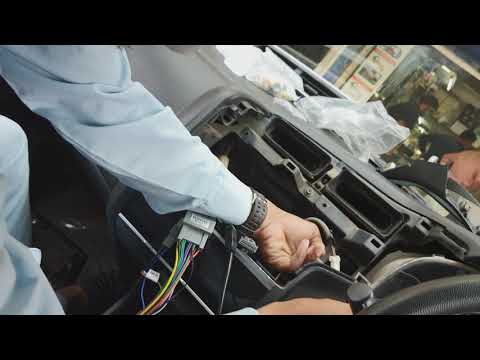
Honda Wr V
(2017-2024 /
GL, MK 1)
In this guide, find the necessary instructions to remove the factory multimedia system and install a new Android system on the Honda WR-V. First, get…
Honda Wr V
(2017-2024 /
GL, MK 1)
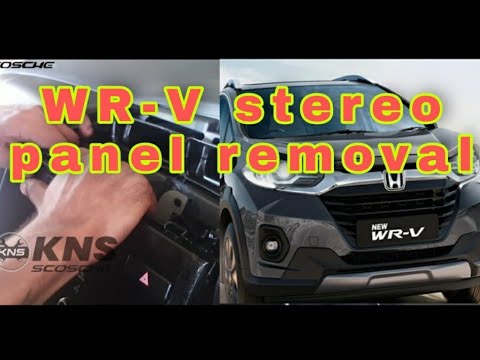
In this video tutorial, you will see the main steps to disassemble and replace the center unit or dashboard of the Honda Wr-V. First, get inside the …

Honda Wr V
(2017-2024 /
GL, MK 1)
On the dashboard of the radio, there is an indicator for the remote battery that shows its charge percentage. When this drops below a certain thresho…
Other guides you may be interested in |
How to set the clock on the Opel Zafira
Setting the clock to the current Italian time on an Opel Zafira model B vehicle is a very simple operation, which can also be done independently thanks to our short instructional video. The first thing to do is to turn on the instrument panel and then press the SETTING button, located on the central dashboard. Once inside the menu, use the buttons to navigate to the clock setting. Change the hours and minutes and restart the instrument panel. If the clock is not updated, a diagnosis may be necessary at the radio or vehicle control unit. by ScegliAuto More videos
|
|
For advertising on this site Write to info@scegliauto.com
ScegliAuto is not responsible for any inaccuracy of the data in the lists. To report any inaccuracy or your business (if you own the business in question), please write to info@scegliauto.com
Number of seconds to generate the page: 0.095
(c) ScegliAuto 2026 - info@scegliauto.com - Privacy policy VAT number: IT01247470535 |
