
|
Do it yourself
| |||
| ||||


How to Replace the Car Radio on a Honda Vezel HR-V
Model: Honda Vezel Hr V
MK 2
- Years:
2013, 2014, 2015, 2016, 2017, 2018, 2019, 2020
Video tutorial
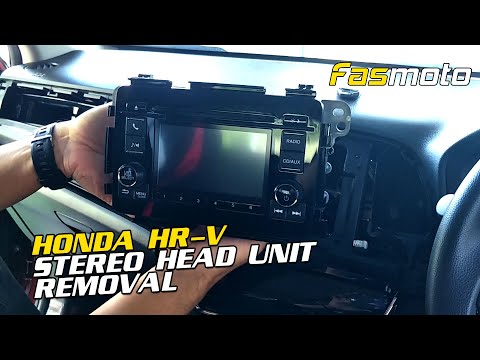
If you want to replace the car radio with a more updated or higher-performing model, follow these instructions: Use a sharp object to pry and release the clips securing the radio frame, which also includes the air conditioning vents. Then, disconnect the rear connector of the frame and, using a screwdriver, remove the screws located at the corners of the radio to take it out. Proceed to disconnect the connectors and terminals located behind the radio. At this point, you can take the new radio and position it in the housing, then reassemble all components in reverse order.
Updated on 28 June 2026 by ScegliAuto
Related tutorials
Honda Vezel Hr V
(2013-2020 /
MK 2)
In this guide, discover how to remove and replace the radio in a Honda Vezel HR-V by following the instructions below. First, get inside the vehicle …

Honda Vezel Hr V
(2013-2020 /
MK 2)
If you want to remove the car radio from your Honda Vezel (2015) by yourself, you just need to follow all the steps described in this new guide. Firs…
Honda Vezel Hr V
(2021-2026 /
MK 3)
To replace the radio on the Honda Vezel HR-V, open the glove compartment located on the passenger side to detach the trim above the compartment. This…
Other guides you may be interested in
|
How to Reset the Air Conditioning on the Citroen C4 Picasso
Resetting the air conditioning on the Citroen C4 Picasso is a straightforward task that you can do independently, aided by our mini video tutorial. To perform this operation, switch on the ignition and turn on the air conditioning. Then, press the E button and the one with the spanner simultaneously for a few seconds while starting the engine. After that, release the buttons and the system reset will be complete. If the air conditioning still has issues, check the state of the fuses and replace them if necessary. by ScegliAuto More videos
|
|
For advertising on this site Write to info@scegliauto.com
ScegliAuto is not responsible for any inaccuracy of the data in the lists. To report any inaccuracy or your business (if you own the business in question), please write to info@scegliauto.com
Number of seconds to generate the page: 0.011
(c) ScegliAuto 2026 - info@scegliauto.com - Privacy policy VAT number: IT01247470535 |
