
|
Do it yourself
| |||
| ||||


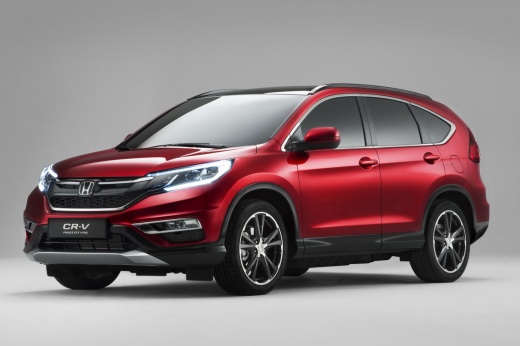
How to Reset the Tyre Pressure Light on the 2016 Honda CR-V
Model: Honda CR-V
MK 4
- Years:
2012, 2013, 2014, 2015, 2016, 2017
Video tutorial
If the tyre pressure warning light on your 2016 Honda CR-V keeps appearing without any punctures, follow this procedure to correctly reset the light. First, get into the driver's seat and start the ignition. Then, locate the three buttons on the side of the dashboard and press and hold the button with the tyre icon. Finally, wait for the reset to complete and release the button.
Updated on 6 October 2026 by ScegliAuto
Related tutorials
Honda CR-V
(2017-2022 /
MK 5)
To reset the tyre light on a Honda CR-V, turn on the ignition without starting the engine. Use the central touchscreen to navigate to the onboard com…

Honda CR-V
(2007-2012 /
MK 3)
If you notice the appearance of the orange tire pressure warning light on the instrument panel of your 2007 Honda CR V, it means that there is a punc…

Honda CR-V
(2017-2022 /
MK 5)
Resetting the tyre pressure light on a Honda CR-V is really simple, and we will show you how. Turn on the ignition (the engine does not need to be ru…
Other guides you may be interested in
|
How to unlock the radio of the Iveco Daily
When an Iveco Daily displays the radio error message or prompts to enter the radio code, it means you need to enter the unlock code to resume using the radio. This situation occurs after replacing or disconnecting the vehicle's battery. Enter the unlock code, which can be found in the vehicle's user manual or calculated through the "radio code" website. Input the code using the numeric buttons and then confirm by pressing the OK button. Once this is done, turn off and then turn on the ignition. by ScegliAuto More videos
|
|
For advertising on this site Write to info@scegliauto.com
ScegliAuto is not responsible for any inaccuracy of the data in the lists. To report any inaccuracy or your business (if you own the business in question), please write to info@scegliauto.com
Number of seconds to generate the page: 0.032
(c) ScegliAuto 2026 - info@scegliauto.com - Privacy policy VAT number: IT01247470535 |
