
|
Do it yourself
| |||
| ||||


|
Model: Husqvarna Norden 901
In order to find the software version of the onboard computer on the Husqvarna Norden 901, you will need to turn on the instrument panel by inserting the ignition key into the corresponding slot. Once the panel has been turned on, you can navigate up and down the menu using the corresponding arrow buttons. Scroll until you find the "Warnings" option: in the information displayed to the right of the selected option, the software version will also be specified. Once the version has been identified, you can turn off the panel.
Posted on 2 January 2025 by ScegliAuto
Video tutorial
Related tutorials
Norden 901
The exhaust pipe installed on the Husqvarna Norden 901 can be replaced by loosening the screws that secure the cover on the side of the rear wheel fe…

Norden 901
Let's discover the procedure that will allow us to reset the service indicator light for the regular maintenance of the engine oil change on the Husq…

Norden 901
In this tutorial, we can see how to reset the service on the Husqvarna Norden 901, an extremely simple and quick operation, to be performed only once…
|
How to Change the Engine Oil in the Harley-Davidson Iron 883?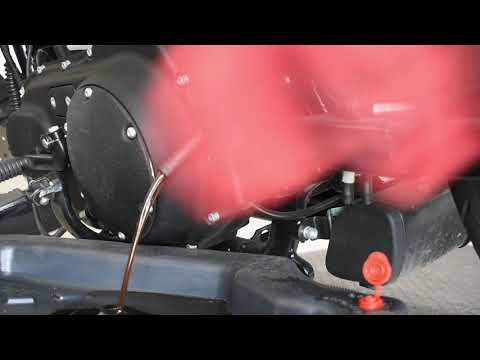
In this tutorial, you will learn how to change the engine oil in the Harley-Davidson Iron 883, a very simple and quick operation to perform every 12 months. First, wait for the engine to cool down, then open the filler cap located on the upper right side, disconnect the drain hose, and remove the plug by loosening the corresponding metal clamp. Once all the oil has drained from the system, replace the plug and proceed with changing the filter, which is located on the front of the engine. Finally, add new oil through the filler hole. by ScegliAuto More videos
|
|
For advertising on this site Write to info@scegliauto.com
ScegliAuto is not responsible for any inaccuracy of the data in the lists. To report any inaccuracy or your business (if you own the business in question), please write to info@scegliauto.com
Number of seconds to generate the page: 0.005
(c) ScegliAuto 2026 - info@scegliauto.com - Privacy policy VAT number: IT01247470535 |
