
|
Do it yourself
| |||
| ||||


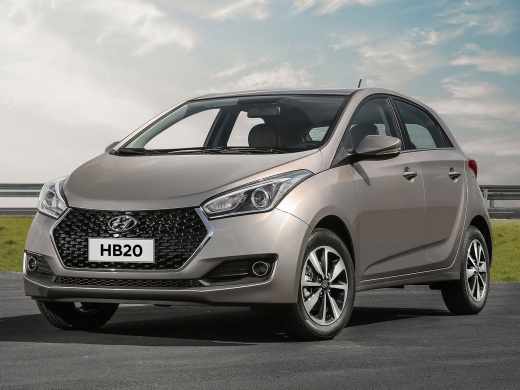
How to Reset the Service on a Hyundai HB20?
Model: Hyundai hb20
MK 2
- Years:
2019, 2020, 2021, 2022, 2023, 2024, 2025, 2026
Video tutorial
As we can see in this tutorial, resetting the service on a Hyundai HB20 is a very simple and quick operation. Before proceeding, you should have completed all scheduled maintenance tasks. Start by inserting the key and turning on the ignition, then repeatedly press the "Trip" button located on the right side of the dashboard until you reach the screen showing a wrench icon. Next, hold down the same button, and as soon as the screen starts to flash, release it and then press it one last time. Finally, restart the vehicle.
Updated on 12 June 2026 by ScegliAuto
Related tutorials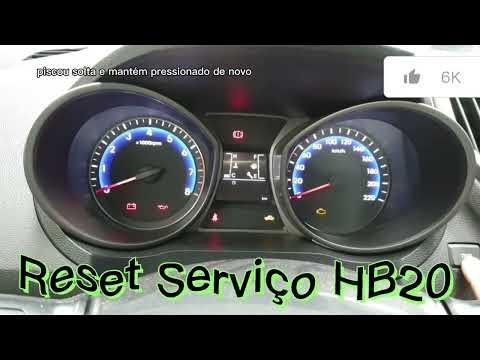
Hyundai hb20
(2019-2026 /
MK 2)
In this video tutorial, you can see how to reset the service light in the Hyundai Hb20. First, perform maintenance on your vehicle, such as changing …

Hyundai hb20
(2019-2026 /
MK 2)
As we can see in this tutorial, resetting the service light on a Hyundai HB20 is an extremely simple and quick operation. Before proceeding, make sur…

Hyundai hb20
(2012-2019 /
MK 1)
In this guide, follow the steps to remove and replace the rear speakers, which also applies to the front speakers, of the Hyundai HB20. First, open t…
Other guides you may be interested in
|
How to Remove the Toll Tag Holder from the Windscreen Without Damaging the Glass
Removing stickers or tags from your car's glass without damaging the windscreen has always been a problem. Especially if we attach it - as we should - at the top of the windscreen, where the "black dots" are, which is the unshielded part of the windscreen designed for this type of device, whether it be a toll tag, GoPro, cameras, or otherwise. We found this product that seems suitable, specifically designed for this purpose, and it also thoroughly removes dirt, grease, oil, and antifreeze salt from plastic surfaces. You can find it on the ATG website or on Amazon. by ScegliAuto More videos
|
|
For advertising on this site Write to info@scegliauto.com
ScegliAuto is not responsible for any inaccuracy of the data in the lists. To report any inaccuracy or your business (if you own the business in question), please write to info@scegliauto.com
Number of seconds to generate the page: 0.084
(c) ScegliAuto 2026 - info@scegliauto.com - Privacy policy VAT number: IT01247470535 |
