
|
Do it yourself
| |||
| ||||


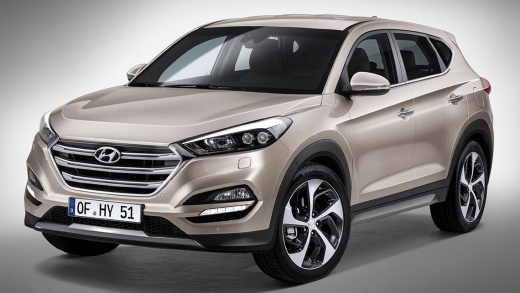
How to Reset the Tyre Pressure Warning Light on a Hyundai Tucson
Model: Hyundai Tucson
TL, MK 3
- Years 2015-2021
This video is currently unavailable
Detailed instructions - This guide briefly explains how to reset the tyre pressure warning light on a Hyundai Tucson. To reset the light, ensure all four tyres are inflated to the correct operating pressure; you can find the pressure specifications on the label located on the front door pillar. Once the tyres are at the correct pressure, get inside the vehicle and turn on the ignition; then wait for the TPMS to update the new pressures, automatically resetting the tyre pressure warning light!
Updated on 1 July 2026 by ScegliAuto
Related tutorials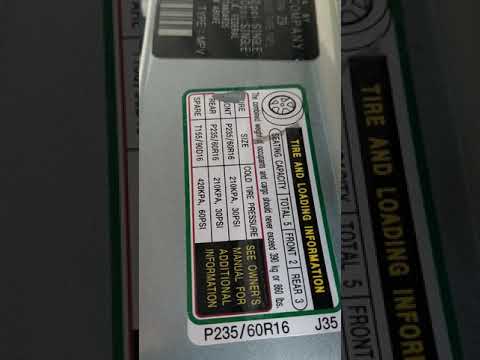
Hyundai Tucson
(2004-2009 /
JM, MK 1)
To reset the tyre pressure warning light on a Hyundai Tucson, you need to inflate the tyres to the recommended pressure. The correct inflation pressu…

Hyundai Tucson
(2022-2026 /
NX4, MK 4)
Below are the instructions to reset the tyre pressure warning light (TPMS) on a Hyundai Tucson. First, get into the vehicle and turn on the instrumen…

Hyundai Tucson
(2015-2021 /
TL, MK 3)
Today's procedure will show us how to reset the Tire Pressure Monitoring System (TPMS) light on the Hyundai Tucson; before performing the reset, it i…
Other guides you may be interested in |
How to reset the tyre pressure warning light on the Citroën DS4?
The tyre pressure warning light on the Citroën DS4 can be reset by inflating the tyres until they reach the corresponding pressure value, which is indicated on the sticker attached to the driver's door pillar. Once all tyres are at this value, turn on the ignition by inserting the key into the ignition switch; this should make the warning light disappear from the dashboard. If it does not reset, start the engine and drive to allow the sensors to read the new values. by ScegliAuto More videos
|
|
For advertising on this site Write to info@scegliauto.com
ScegliAuto is not responsible for any inaccuracy of the data in the lists. To report any inaccuracy or your business (if you own the business in question), please write to info@scegliauto.com
Number of seconds to generate the page: 0.110
(c) ScegliAuto 2026 - info@scegliauto.com - Privacy policy VAT number: IT01247470535 |
