
|
Do it yourself
| |||
| ||||


Model: Kawasaki Z750
You can adjust the clock on a Kawasaki Z750 by turning on the instrument panel after inserting the ignition key into the corresponding lock: once powered on, press and hold the button located on the left side of the panel, noting that the hours will start to flash. These can now be modified by repeatedly pressing the same button; then press and hold it again to see the minutes start to flash, which can also be modified in the same way. At this point, you can turn off the panel.
Posted on 10 March 2026 by ScegliAuto
Video tutorial
Related tutorials
Z750
Today, I will explain how to adjust the clock on the instrument panel of the Kawasaki Z750 motorcycle. To adjust the clock, turn on the instrument pa…

Z750
If you want to manually change the time displayed on the central panel of your Kawasaki Z750, you must follow the steps described in this guide. Firs…

Z750
Today we will see the instructions that will allow us to adjust the time on the instrument panel of the Kawasaki Z750. First of all, turn on the moto…
|
How to Reset the Service Light on a Ducati Monster 695?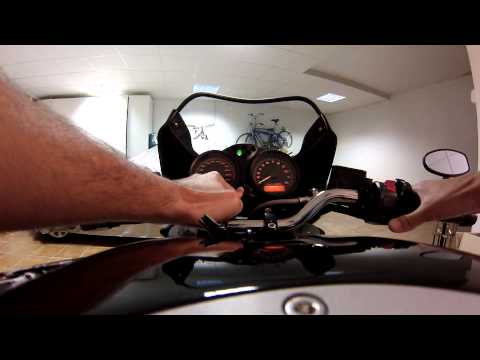
As shown in this tutorial, resetting the service light on a Ducati Monster 695 is an extremely simple and quick operation. Before proceeding, ensure that you have completed all required scheduled maintenance tasks. Start by inserting the key but leave it in the initial position, then press and hold the left button on the dashboard, located to the right of the speedometer, while simultaneously turning on the ignition. Wait for about 5 seconds, then start the engine and turn off the ignition, all while keeping the button pressed. by ScegliAuto More videos
|
|
For advertising on this site Write to info@scegliauto.com
ScegliAuto is not responsible for any inaccuracy of the data in the lists. To report any inaccuracy or your business (if you own the business in question), please write to info@scegliauto.com
Number of seconds to generate the page: 0.015
(c) ScegliAuto 2026 - info@scegliauto.com - Privacy policy VAT number: IT01247470535 |
