
|
Do it yourself
| |||
| ||||


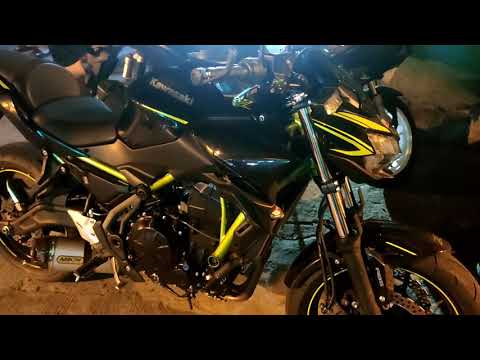
Model: Kawasaki Z650
The digital instrument cluster of the Kawasaki Z650 is fully customisable. To set the clock, press the right button until the time appears. Hold the left button to access the edit mode: the right button selects hours/minutes, and the left modifies the values. To switch between 12/24h format, hold the right button. To change the rev counter style, hold both buttons until the display oscillates. The right button scrolls through the modes (standard, tail, full). The shift limit is set by holding the left button until it flashes; the right button adjusts the threshold (from 5,000 to 10,000 rpm, in increments of 500). The units of measurement (consumption mpg, speed mph) can be changed from the main menu: press the left button until the total odometer appears, hold it, and use the right button to change the units.
Posted on 1 August 2026 by ScegliAuto
Video tutorial
Related tutorials
Z650
In this new mini guide dedicated to your Kawasaki Z650, we will discover the steps you need to take to manually modify the time displayed on the cent…
Z650
This video will show you how to reset the service light for the regular maintenance oil change on the Kawasaki Z650. First, place the motorcycle on i…

Z650
In this tutorial we can see how to replace the battery in the Kawasaki Z650, an extremely simple and quick operation. First of all, make sure that th…
|
How to Replace the Tyres on the Husaberg FE 450
In this guide, follow the instructions to remove and replace the tyres on the Husaberg FE 450 enduro bike. First, place the bike on a stand and lift the wheel off the ground; then, undo the bolts securing the brake caliper to remove it, as shown in the video. Next, unscrew the central axle of the wheel, removing the tyre from the rim (deflating it and using levers); then install the new tyre, ensuring it has the correct dimensions, following the video tutorial to the end! by ScegliAuto More videos
|
|
For advertising on this site Write to info@scegliauto.com
ScegliAuto is not responsible for any inaccuracy of the data in the lists. To report any inaccuracy or your business (if you own the business in question), please write to info@scegliauto.com
Number of seconds to generate the page: 0.005
(c) ScegliAuto 2026 - info@scegliauto.com - Privacy policy VAT number: IT01247470535 |
