
|
Do it yourself
| |||
| ||||


Model: Keeway Icon
To replace the front brake pads on a Keeway Icon, loosen the screws that secure the brake caliper to the corresponding disc. Once the screws are loosened, you can detach the caliper from its housing and remove the internal pads by taking out the pin. At this point, you can slide out the old pads to insert the new ones, which can now be secured by reinserting the pin. Finally, position the caliper back onto the front disc and secure it with the screws that were removed earlier.
Updated on 16 September 2026 by ScegliAuto
Video tutorial
Related tutorials
Icon
You can replace the front headlight bulb on the Keeway Icon by loosening the screws that secure the front panel of the bike to its housing: once the …

Icon
You can replace the transmission on the Keeway Icon by loosening the screws that secure the gearbox cover, located near the rear wheel on the left si…

Icon
To replace the belt on the Keeway Icon, you will need to loosen the screws that secure the protective cover located near the rear wheel, on the left …
|
How to Reset the Oil Light on the Honda Forza 300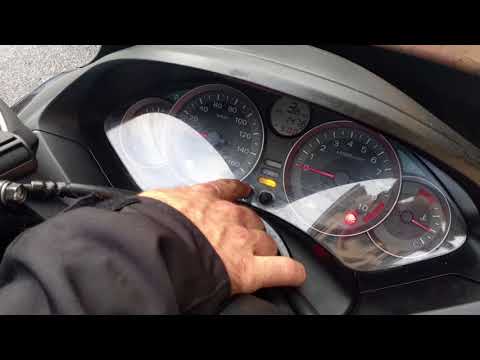
To reset the oil light on the Honda Forza 300, follow this procedure: first, turn off the engine. Once the engine is off, press and hold the right button in the centre of the dashboard. While holding the button, turn the key to position 2 to power on the dashboard and hold for 3 seconds. At this point, the oil light reset has been successful. You can then turn off and restart the engine to confirm. No tools are needed, and the process will take 1 minute. by ScegliAuto More videos
|
|
For advertising on this site Write to info@scegliauto.com
ScegliAuto is not responsible for any inaccuracy of the data in the lists. To report any inaccuracy or your business (if you own the business in question), please write to info@scegliauto.com
Number of seconds to generate the page: 0.005
(c) ScegliAuto 2026 - info@scegliauto.com - Privacy policy VAT number: IT01247470535 |
