
|
Do it yourself
| |||
| ||||


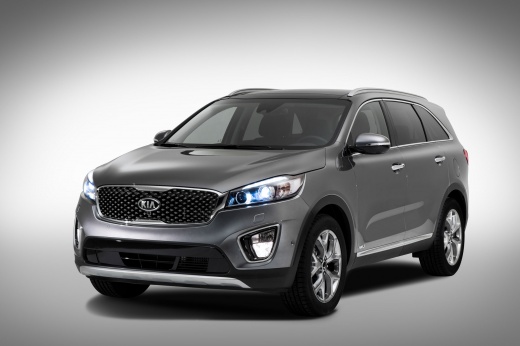
How to install LED bulbs in the KIA Sorento?
Model: Kia Sorento
MK 3
- Years:
2014, 2015, 2016, 2017, 2018, 2019, 2020
Video tutorial
In this tutorial, we can see how to install LED bulbs in the KIA Sorento, a very simple and quick operation. To do this, we will also need the adapter ring shown in the video, easily available online. First of all, make sure the key is not inserted, then open the hood, locate the cap on the back of the headlight and remove it. Then, grab the old bulb, remove it from the housing by rotating it slightly counterclockwise and disconnect the connector. At this point, all that remains is to position the adapter, insert and connect the bulb, and remove the insulation inside the cap so as not to obstruct the fan.
Posted on 27 September 2025 by ScegliAuto
Related tutorials
Kia Sorento
(2002-2009 /
MK 1)
Do you want to replace the rear headlamp on the Kia Sorento? Remove the rear headlamp from inside its bodywork. Lift the boot lid and locate the side…

Kia Sorento
(2009-2014 /
MK 2)
Follow these instructions to remove and replace the front headlamp of the Kia Sorento by following these simple steps. First, open the bonnet of the …

Kia Sorento
(2014-2020 /
MK 3)
Today, we will go through the steps to remove and replace the rear light and its bulbs on the Kia Sorento. First, open the boot lid and start by remo…
Other guides you may be interested in
|
How to Enter the Unlock Code for the Radio in the Nissan Micra?
In this tutorial, you will see how to enter the unlock code for the radio in the Nissan Micra, a very simple operation to perform in case of memory loss after replacing the battery. The code can be found in the documents provided at purchase or through one of the various online recovery services. First, turn on the instrument panel, then repeatedly press the "1" button until you reach the first digit of the code. Follow the same logic to enter the remaining 3 digits using the "2", "3", and "4" buttons, and confirm the entry with the up arrow button. by ScegliAuto More videos
|
|
For advertising on this site Write to info@scegliauto.com
ScegliAuto is not responsible for any inaccuracy of the data in the lists. To report any inaccuracy or your business (if you own the business in question), please write to info@scegliauto.com
Number of seconds to generate the page: 0.135
(c) ScegliAuto 2026 - info@scegliauto.com - Privacy policy VAT number: IT01247470535 |
