
|
Do it yourself
| |||
| ||||


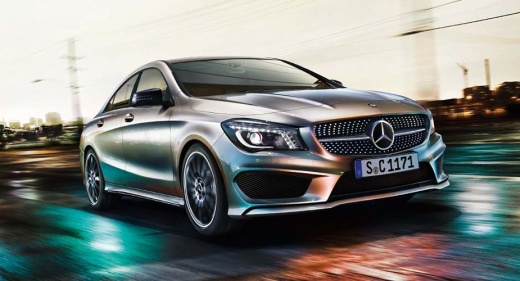
How to Reset the Power Windows on a Mercedes Benz CLA
Model: Mercedes CLA
C117, X117
- Years:
2013, 2014, 2015, 2016, 2017, 2018, 2019
Video tutorial
After replacing the control module or the battery, the power windows on the Mercedes Benz CLA 205 may stop functioning automatically. Today, this short video tutorial will explain the steps to take. First, turn on the vehicle's instrument cluster. Second, press and hold the window button to lower it completely and keep it pressed for a few seconds. Next, use the button to raise the window, and once it's closed, hold the button for a few seconds. By doing this, you will have resolved the issue.
Updated on 31 August 2026 by ScegliAuto
Related tutorials
Mercedes CLA
(2013-2019 /
C117, X117)
Today, we will learn how to reset the service reminder for routine maintenance on a Mercedes CLA. First, get in the vehicle and turn on the ignition.…

Mercedes CLA
(2013-2019 /
C117, X117)
In this video, follow the steps to remove and replace the auxiliary battery on a Mercedes Benz CLA. First, locate the battery position, which is foun…
Mercedes CLA
(2013-2019 /
C117, X117)
Learn through this video tutorial how to replace the auxiliary battery in a Mercedes CLA. First, you need to know where it is located. The auxiliary …
Other guides you may be interested in
|
How to Set the Clock on a Fiat Scudo
Setting the time on a Fiat Scudo is a simple and quick operation. First, turn on the vehicle's onboard computer and then press the SET button located on the dashboard. The settings menu will appear on the display; press the "+" button to select the "TIME" option using the "SET" button. Once in the clock menu, you can choose the format and adjust the hours and minutes by pressing the "+", "-" and "SET" buttons. When finished, return to the main menu and then turn off the ignition to complete the reset. by ScegliAuto More videos
|
|
For advertising on this site Write to info@scegliauto.com
ScegliAuto is not responsible for any inaccuracy of the data in the lists. To report any inaccuracy or your business (if you own the business in question), please write to info@scegliauto.com
Number of seconds to generate the page: 0.182
(c) ScegliAuto 2026 - info@scegliauto.com - Privacy policy VAT number: IT01247470535 |
